Exploring the device
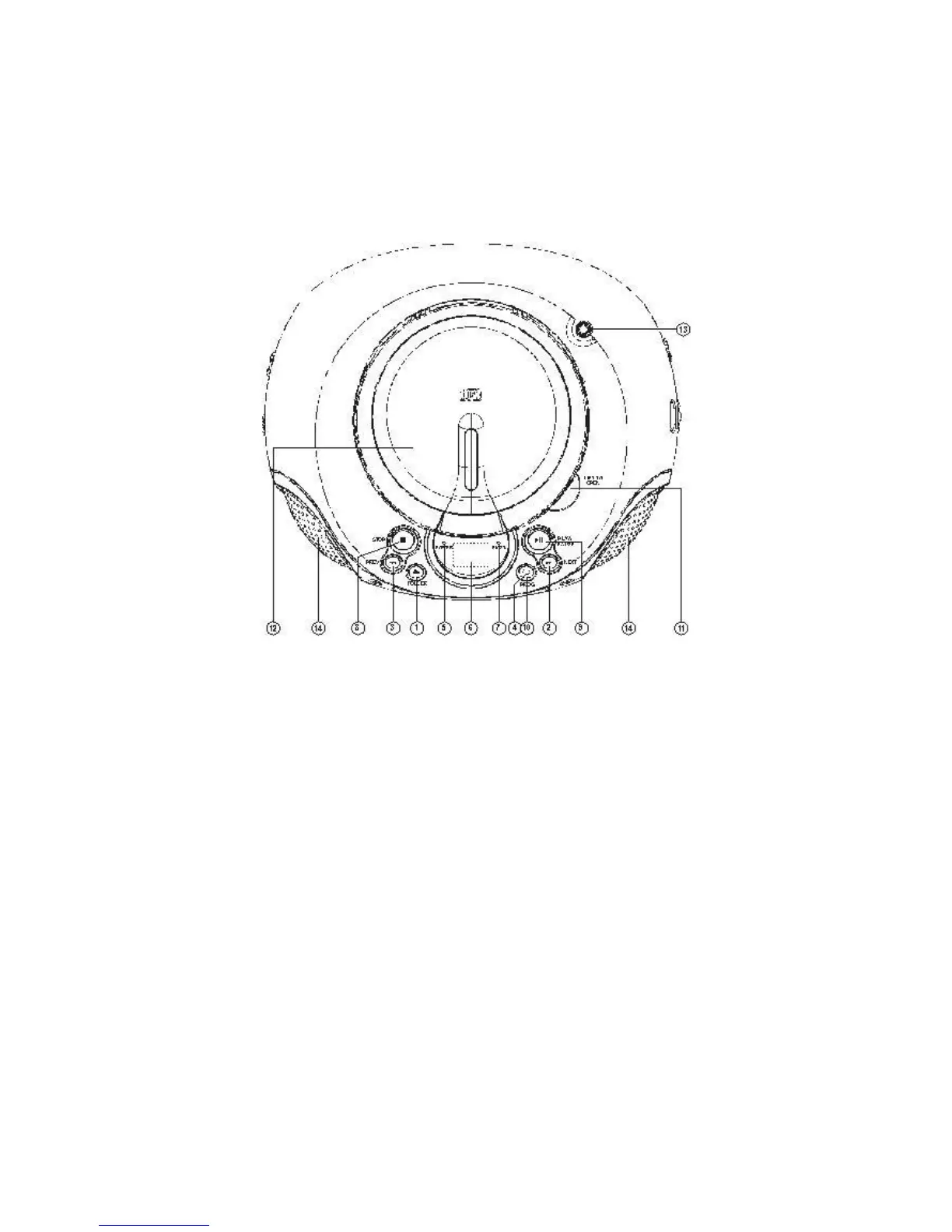
Top view
1. Folder button: Switch between folders (during MP3/WMA playback).
2. Next button: skip to the next track; hold the button to fast forward.
3. Prev button: skip to the previous track; hold the button to fast backward.
4. Repeat button: repeat a track, a folder or everything.
5. Power indicator.
6. Display.
7. FM Stereo indicator.
8. Stop button: stop playback
9. Play/pause button: Press this to play / pause CD/USB.
10. PROG: Program your desired tracks.
11. OPEN/CLOSE notch: open or close CD compartment.
12. CD door
13. FM antenna
14. Speakers



 To Next Page