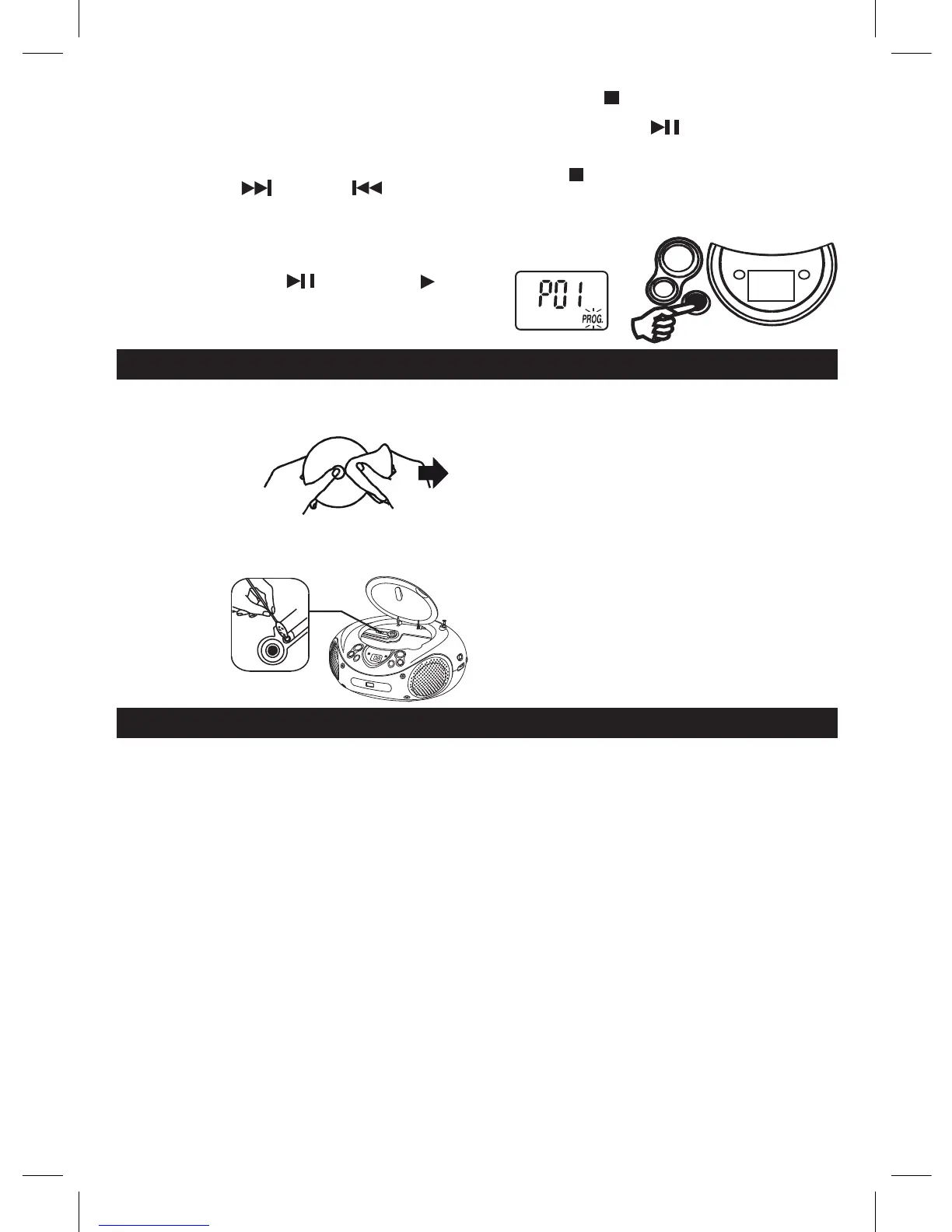
7. Press“STOP”buttononcetostopprogrammed
playback.
8. Press“PLAY/PAUSE”buttontoresume
programmedplayback.
9. Open the CD door, turn off the CD player or press
“STOP”buttontwicetocleartheprogrammed
memory.
Note: Programmingcanonlybemadewhentheplayer
is in stop mode.
GB 5
CLEANING THE UNIT
Donotusevolatilechemicalsonthisunit.Cleanbylightly
wipingwithasoftcloth.
IMPORTANT NOTE
Ifanabnormaldisplayindicationoranoperatingproblem
occurs, disconnect the AC power cord and remove the
batteries. Wait at least 5 seconds, then reconnect the AC
power cord or reinstall the batteries.
WARNING
ShouldtheCDdoorbeopenedbeforethereadingoftheCD
iscompleted,ajammingnoisemayoccur.Thisisresolved
byclosingtheCDdoor.
CLEANING CD
If the CD skips or will not play , the disc may need clean-
ing.Beforeplaying,wipethediscfromthecentreoutwith
acleaningcloth.
Afterplaying,store
the disc in its case.
MAINTENANCE
CLEANING THE CD LENS
If the CD lens is dusty, clean it with a brush-blower. Blow
several times on the lens and remove the dust with the
brush.Fingerprintsmayberemovedwithacottonswab
moistened with
alcohol.
CD SECTION
Channels: 2 channels
S / N ratio: 60 dB
Wow & Flutter: undetectable
Samplingfrequency: 44.1kHz8xoversampling
Quantization: 1bitDAconverter
Pickuplightsource: Semi-conductorlaser
Pickupwavelength 790nm
RADIO SECTION
Tuning ranges: FM 87.5 - 108 MHz
Antennas: FM Rod antenna
GENERAL
Output power: 1.2 W + 1.2 W (RMS)
Power consumption: 8.5 W
Speaker: 3 " 8 OHM
Powersource: AC:230V~50Hz
DC : 9V ( 6 x 1.5V LR14/ "C"/UM2 )
Dimensions: 262(L) x 222(D) x 125(H)mm
Weight 1.25KGS
Duetocontinuingimprovement,thefeaturesandthedesignaresubjecttochangewithoutnotice.
SPECIFICATIONS
MP3 / WMA / USB display
" PROGRAM "
FOR MP3 / WMA / USB PLAYBACK
Programmedplaybackenablestracksonadisctobeplayedin
thedesiredorder.Upto20trackscanbeprogrammed.
1. Pressthe“PROGRAM”button.
2. Pressthe“FOLDERUP”buttonstoselectthedesired
folder.
3.Pressthe“NEXT”and“PREV”buttons
to select the desired track number.
4. Press‘PROGRAM”buttonagaintomemorizethe
selected track.
5. Repeat steps 2 to 4 until all desired tracks are
programmed.
6. Pressthe“PLAY/PAUSE”buttontostart.““,
“PROG.”and“MP3”/"WMA/USB"areshown
on the CD display.



 To Next Page