GB 4
PROGRAMMED PLAYBACK
PROGRAMMED PLAYBACK
FOR NORMAL COMPACT DISC PLAYBACK
Programmed playback enables tracks on a disc to be played
in the desired order. Up to 20 tracks can be programmed.
1. Press the " PROGRAM " button.
2. Press the " NEXT " and " BACK " buttons to select
the desired track number.
3. Press the " PROGRAM " button again to memorize
the track.
4. Repeat steps 2 and 3 until all desired tracks are
programmed.
5. Press the " PLAY/PAUSE " button to start.
" " , " PROG " & track number are shown on the
LCD display.
6. Press the " STOP " button once to stop programmed
playback.
LCD display
" PROGRAM "
Note on CD-R/RW discs
- Because of non-standardized format denition/ production of CD-R/RW,
playback quality and performance are not guaranteed.
- Manufacturer is not responsible for the playability of CD-R/RW due to recording conditions, such as PC performance,
writing software, media ability, etc.
- Do not attach a seal or label to either side of the CD-R/RW disc. It may cause a malfunction.
- It is recommended to record only audio les on CD-R/RW discs for easy reading.
7. Press the " PLAY/PAUSE " button to resume
programmed playback.
8. Open the CD door, turn o the CD player or press
the " STOP " button twice to clear the programmed
memory.
Note : Programming can only be made when the player
is in stop mode.
PLAY MODE
REPEAT , REPEAT ALL AND MIX PLAYBACK
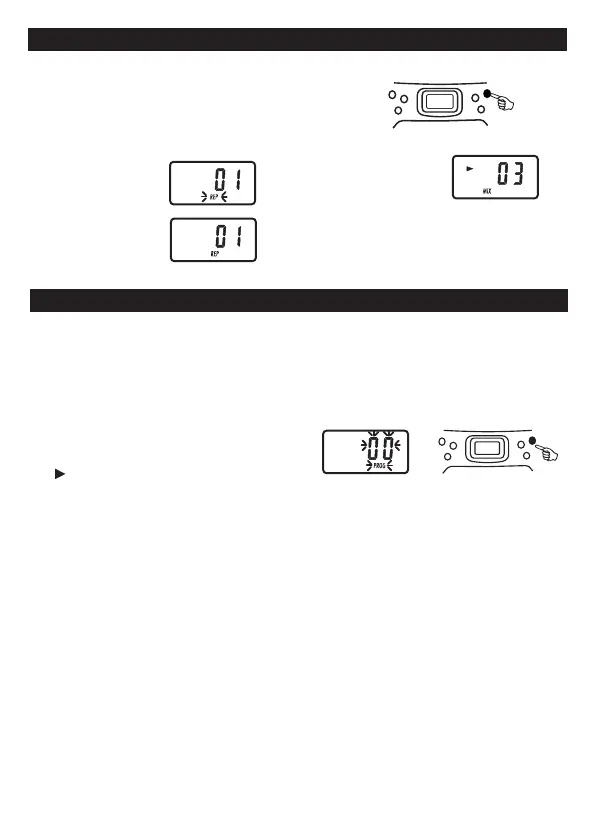
Press PLAY MODE button during CD playback. CD plays with a single track repeat,
all tracks repeat or randomly.
FOR NORMAL COMPACT DISC PLAYBACK
Mode sequence REPEAT >> REPEAT ALL >> MIX >> CLEAR.
During Repeat 1 mode,
display shows
During Repeat 2 mode,
display shows
During Mix mode,
display shows
LCD display
LCD display
LCD display



 To Next Page