11
STANDBY MODE
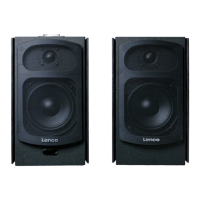
1. To turn on the speakers, long press the top button (8) on the left speaker
or press the power button (1) on the Remote control. The RED indication
LED will turn into another color
2. To turn the speakers into standby mode, long press the top button (8) on
the left speaker or press the power button (1) on the Remote control. The
indication LED will turn RED again.
VOLUME CONTROL/MUTE FUNCTION
The volume can be adjusted by rotating the multifunction control knob (8) or by
pressing the VOLUME + (5)/- (7) buttons on the remote control. The LED
indicator will flash when adjusting. To activate the mute function, simply press
the MUTE button (13) on the remote control. To exit the mute function, press
the MUTE button (13) again.
TREBLE/BASS/PRESET EQ
1. Treble: Press the TREBLE – (19)/+ (18) buttons on the remote control to
make adjustments
2. Bass: Press the BASS – (10)/+ (20) buttons on the remote control to make
adjustments
3. The LED indicator (9) will flash while adjustments are being made.
Note: when the maximum/minimum level has been reached the LED indicator
(9) will light continuous when pressing the TREBLE – (19)/+ (18) or BASS -
(10)/+ (20) buttons.
To activate EQ presets, press one of the four keys “MUSIC (11)/MOVIE
(21)/NEWS (12)/3D (22)” on the remote control.
Note: To reset the unit to the default sound settings, press and hold the reset
button (15) for a few seconds.
BLUETOOTH
To connect your smartphone, tablet, MP3 player or any other Bluetooth capable
device follow the steps listed below:
1. Make sure speaker set is powered on. Short press the multifunction
control knob (8) several times or press INPUT key on the remote control
several times until the indicator LED (9) is flashing blue.
2. The LED will begin to blink rapidly. When no Bluetooth device has been
paired before the unit enters pairing mode.
3. Turn on the Bluetooth feature on your device the search for the “Lenco
SPB-260” on your list of available devices and select it.
4. When paired successful, the blue LED will be lit blue constantly


 To Next Page