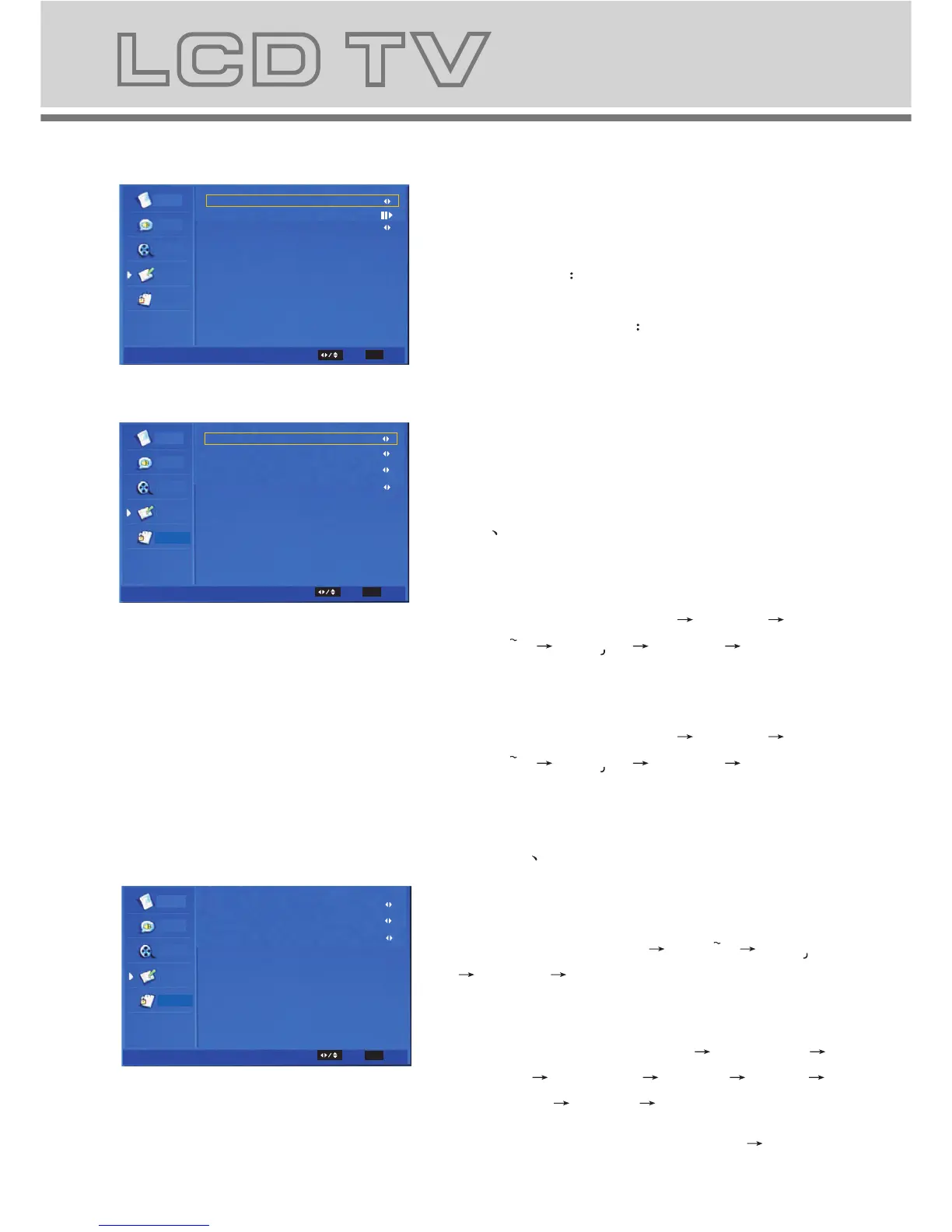
The Submenu of Time Setup
b-5-1. Time Zone: Change the time zone
by user.
b-5-2. Time set the time. and set power
on/off time.
b-5-3. Sleep Timer set the sleep timer.
and set sleep on/off time.
The submenu of Subtitle Item.
b-6-1. Analog Subtitle: Change the
analog subtitle in the sequence as:
Off On
b-6-2. Digital Subtitle Language:
Change the subtitle language in
the sequence as: Off
English
Espanol Francais Deutsch Nederlands .
b-6-3. Digital Subtitle Language 2nd:
Change the subtitle language in
the sequence as: Off English
Espanol Francais Deutsch Nederlands .
b-6-4. Subtitle Type: Change the
subtitle type in the sequence as:
Normal Hearing Impaired.
Parental
Video
Video
Audio
TV
Setup
Time Zone
Time
Sleep Timer
Off
As Broadcaster
Time Setup
Sele ct
EXIT
Parental
Parental
Video
Video
Video
Video
Audio
Audio
TV
TV
Setup
Setup
Analog Subtitle
Digital Subtitle Language
Digital Teletext Language
Digital Subtitle Language 2nd
Decoding Page Language
Subtitle Type
TTX Presentation Level
Off
Off
Dutch
Off
WEST EUR
Normal
Level 2.5l
Subtitle
Teletext
Sele ct
Sele ct
EXIT
EXIT
15
a. This menu is used to set the function
b. The definition of each option:
b-1. OSD Language: Change the OSD
language in the sequence as: English
Espanol Francais Deutsch Nederlands .
b-2. Screen Mode: Change the screen
mode in the sequence as: Auto 16:9 4:3.
b-3. OSD TIMEOUT: set the showing time
of OSD Menu in the sequence as: Short
Middle Long.
b-4. OSD Transparency: set the
transparency of the OSD Menu in the
sequence as: Middle Low Hight.
b-5. DPMS: set the DPMS to change
dynamic power management system
as:On Off.
b-6. Time Setup: set the timer, you can
set the subordinate menu.
b-7. Subtitle :set the subtitle, you can set
the subordinate menu.
b-8. Teletext: set the teletext, you can set
the teletext menu.
b-9. Blue Mute: Change the blue mute in
the sequence as: On Off.
b-10 . Reset Default: restore default setting.
4 Setup MENU
Parental
TV
Video
Video
Audio
Setup
OSD Language
OSD Timeout
Screen Mode
OSD Transparency
Time Setup
DPMS
Subtitle
Blue Mute
Reset Default
Teletext
Setup
Long
Middle
On
English
Auto
On
Select
EXIT Exit
OK
Enter
Exit
Exit
Exit
b-7-1. Digital Teletext Language: Change
the digital teletext language in the
sequence as: English Espanol Francais
Deutsch Nederlands .
b-7-2. Decoding Page Language: Change
the decoding page language in the
sequence as: WEST EUR EAST EUR
RUSSIA RUSSIA-2 GREEK Turkey
Arab/Hbrw Farsian Arab.
b-7-3.
TTX Presentation Level: Change TTX
Presentation Level as:Level 1.5 Level 2.5



 To Next Page