E7
Connect the antenna or DTV STB to the RF 75Ω socket .
Turn on the TV unit.
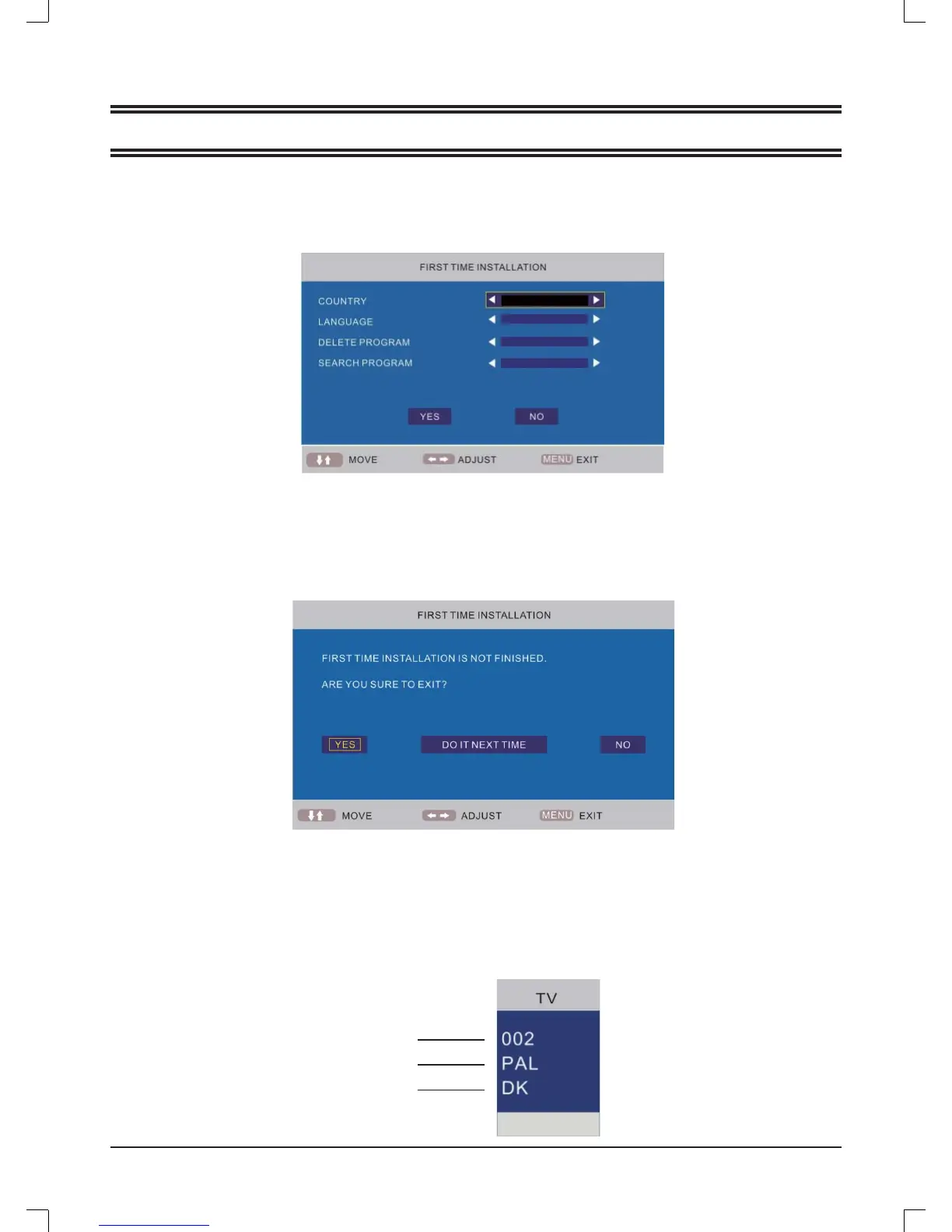
The Installing Guide screen appears as below:
1.
2.
3
.
USING THE TV FOR THE FIRST TIME
Press [
o
] or [
p
] to select the desired settings.
Press [
b
] or [
a
] to adjust the desired settings.
Press [
p
] to select "YES", and press [OK] to confi rm.
Note:
To cancel the fi rst time installation during it's installation process, press [
p
] to select "NO", below screen appears:
To cancel clearing channel search , press [MENU].
4.
5.
6.
GERMANY
ENGLISH
YES
YES
TV information
Press [DISPLAY] to diaplay the program information
.
Program number
Color system
Sound system
Note:
The fi rst time installation screen appears again, when the "reset" operation has been done, and then turn off and turn on the
main unit.



 To Next Page