Single Reader Interface Module LNL-1300 Series 3 Quick Reference
© 2020 Carrier. All Rights Reserved. LenelS2 is a part of Carrier. 3 QR50L-1033E — revision 3.004
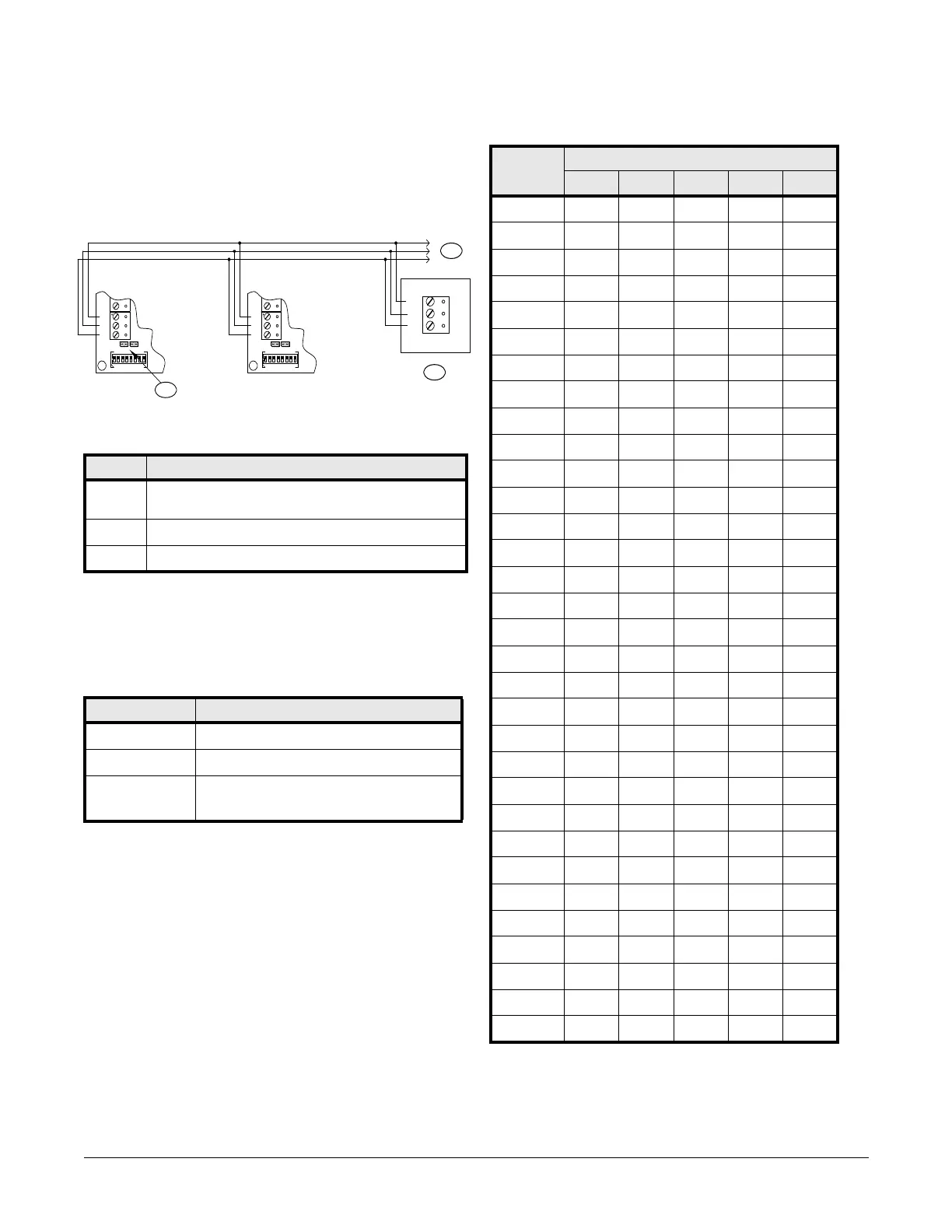
Communication Wiring
The LNL-1300 communicates to a Lenel intelligent controller (LNL-3300,
for example) via a half-duplex, multi-drop 2-wire RS-485 interface. The
total cable length is limited to 4000 feet (1219 m). A shielded cable of 24
AWG with characteristic impedance of 120 ohm is specified for the 2-wire
RS-485 interface. The last device on each end of the communication line
should have the terminator installed (install jumper J1).
Address, Baud Rate, and Encryption Configuration
Switch
Switches 1 to 5 select the device address. Switches 6 and 7 select the
communication baud rate. Switch 8 enables encrypted communication. All
other configuration settings are set via the host software.
Device Address
Communication Wiring Callouts
Callout Description
1 J1 - RS-485 communication terminator jumper
Install on last unit of the communication line.
2 Controller
3 To additional serial I/O units
DIP switch(es) Used to configure:
1, 2, 3, 4, 5 Device communication address (0-31)
6, 7 Communication baud rate
8
Downstream encryption (available with OnGuard
®
2009
or later)
LNL-1300
TR-
GND
TR+
LNL-1300
TB1
GND
TR-
TR+
VO
D0
J1
J2
85674123
^
|
O
N
TB1
GND
TR-
TR+
VO
D0
J1
J2
85674123
^
|
O
N
1
2
3
Address DIP switch
5: 4: 3: 2: 1:
0 off off off off off
1 off off off off ON
2 off off off ON off
3 off off off ON ON
4 off off ON off off
5 off off ON off ON
6offoffONONoff
7 off off ON ON ON
8 off ON off off off
9 off ON off off ON
10 off ON off ON off
11 off ON off ON ON
12 off ON ON off off
13 off ONONoff ON
14 off ONONONoff
15 off ONONONON
16 ON off off off off
17 ON off off off ON
18 ON off off ON off
19 ON off off ON ON
20 ON off ON off off
21 ON off ON off ON
22 ON off ON ON off
23 ON off ON ON ON
24 ON ON off off off
25 ON ON off off ON
26 ON ON off ON off
27 ON ON off ON ON
28 ON ON ON off off
29 ON ON ON off ON
30 ON ON ON ON off
31 ON ON ON ON ON



 To Next Page