IFU-0002 Lenire User Manual Version 1.0 Page 31
13.3.2 - Headphones Volume Control
The Headphones volume level should be left at the default level unless
either:
• The treatment environment is noisy, in which case the volume level
can be increased.
• The volume is so high that it causes any discomfort, or prevents you
from relaxing, in which case the volume level can be decreased.
The Headphones volume levels are calibrated to your
hearing thresholds for optimum eectiveness.
Depending on your audiological profile, you may
perceive the sound levels to be soft. It is important
that you seek a quiet environment for your treatment
sessions.
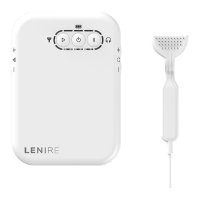
The volume control buttons on the Headphones
should not be used to adjust the volume. Please only
use the volume control buttons on the Controller.
Depending on your hearing profile, the range over
which you can increase the Headphones volume level
may be limited. This is to ensure that the volume levels
remain within safe limits so as not to cause hearing
damage.


 To Next Page