EasyManua.ls Logo

Lennox ComfortSense L5732U - User Manual

Lennox ComfortSense L5732U
20 pages
Print Icon
To Next Page IconTo Next Page
Loading...
E2007 Lennox Industries Inc.
Dallas, Texas, USA
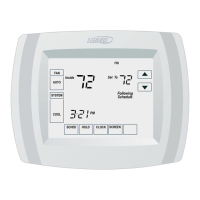
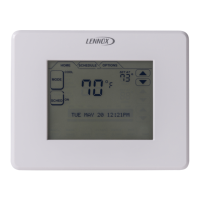
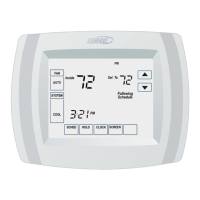
ComfortSenset 5000 Series Model No. L5732U
3 Heat / 2 Cool Programmable
Touch Screen Thermostat
INSTALLATION
INSTRUCTIONS
WARNING
This thermostat is to be installed by a qualified service technician or
other qualified agency in accordance with the manufacturer’s instruc-
tions, all codes, and requirements of the authority having jurisdiction.
506068−01
2/2008

Questions and Answers

  • T
    Thomas HunterSep 4, 2025
    Why Lennox ComfortSense L5732U display does not come on?
    • T
      Tara MartinezSep 4, 2025
      If your Lennox Thermostat display doesn't come on, it could be due to a lack of power. Check that there is 24V between the R and C terminals, and also ensure that the batteries are properly installed.
  • R
    Richard PowellSep 18, 2025
    Why is the key to the right of the screen key blank on Lennox ComfortSense L5732U Thermostat?
    • A
      andrew25Sep 18, 2025
      The MORE key will remain blank unless the Furnace Filter Change Reminder feature has been activated. See User Set?Up Number 0500.
  • J
    Jared MccannSep 16, 2025
    What does red LED light mean on Lennox ComfortSense L5732U?
    • K
      Kathryn MayerSep 16, 2025
      A system monitor is connected to the thermostat's L terminal. Refer to the 'Heating or Cooling System Does Not Turn On' sections for troubleshooting suggestions.
  • M
    Michael PerezSep 14, 2025
    Why Lennox ComfortSense L5732U Thermostat fan does not turn on in heat mode?
    • M
      Ms. Samantha MorganSep 14, 2025
      Verify Installer Set?Up 0180: Fan Control in Heating*. Ensure the Electric Heat option is selected.
  • S
    Sheila Harris DVMSep 13, 2025
    Why are Lennox ComfortSense L5732U Thermostat heating and cooling systems running simultaneously?
    • J
      James WebbSep 13, 2025
      Verify Installer Set?Up Number 170: Heating and/or Cooling Type*. Ensure it accurately reflects your installed system. Also, check that bare wire portions aren't touching each other.
  • J
    Jamie DiazSep 12, 2025
    What to do if Lennox ComfortSense L5732U heating system does not turn off?
    • J
      Jason KnightSep 12, 2025
      Check Installer Set?Up Number 170: Heating and/or Cooling Type*. Make sure the setting matches the installed heating and/or cooling system.
  • S
    Susan JohnsonSep 9, 2025
    Why is my Lennox Thermostat heating in Cool mode?
    • K
      kristopher93Sep 9, 2025
      Check Installer Set?Up Number 170: Heating and/or Cooling Type*. Make sure the setting matches the installed heating and/or cooling system.
  • L
    lisadavisSep 7, 2025
    Why temperature settings do not change on Lennox ComfortSense L5732U?
    • K
      Karina JacksonSep 7, 2025
      Make sure your temperature settings are within these ranges: * Heating: 40°F to 90°F (4.5°C to 32°C). * Cooling: 50°F to 99°F (10°C to 37°C).
  • S
    Susan MilesSep 5, 2025
    Why Lennox ComfortSense L5732U heating or cooling does not come on?
    • J
      John OliverSep 6, 2025
      If the heating or cooling system doesn't come on with your Lennox Thermostat, it could be due to a few reasons. The thermostat minimum-off time might be activated; wait up to 5 minutes for the system to respond. Also, ensure the system selection is set to heat or cool, and check installer setup number 0170 to make sure the proper system type is selected.
  • B
    brianelliottAug 21, 2025
    What to do if Lennox Thermostat heating system does not turn on?
    • J
      Jeremy VaughnAug 21, 2025
      If your Lennox thermostat's heating system isn't turning on, try these steps: * Ensure the SYSTEM key is set to heat. * Verify the heat temperature setting is above the room temperature and "Heat On" is displayed. * Check the circuit breaker and the power switch for the heating/cooling system. * Confirm the furnace door is securely closed. Allow five minutes for the heating system to respond. If the issue persists, consider contacting a qualified service technician.

Lennox ComfortSense L5732U Specifications

General IconGeneral
Model NumberL5732U
CategoryThermostat
Display TypeTouchscreen
Wi-Fi ConnectivityYes
ProgrammableYes
Indoor Temperature Range40°F to 99°F
Humidity ControlYes
Remote Sensor CapabilityYes
TypeSmart
CompatibilityCompatible with most HVAC systems
Power SourceBattery
Stages2 Heat / 2 Cool

Related product manuals