EasyManua.ls Logo

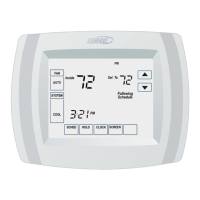
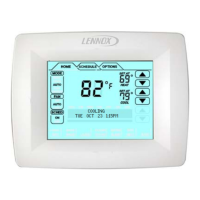
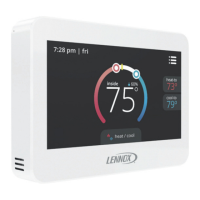
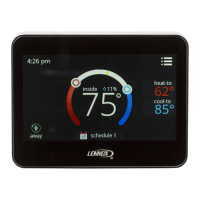
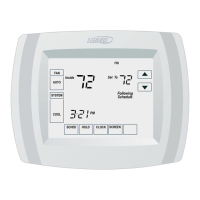
Lennox ComfortSense L5711U - User Manual

Lennox ComfortSense L5711U
32 pages
Print Icon
To Next Page IconTo Next Page
Loading...
E2007 Lennox Industries Inc.
Dallas, Texas, USA
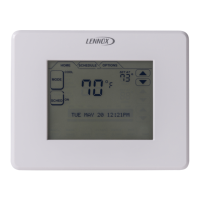
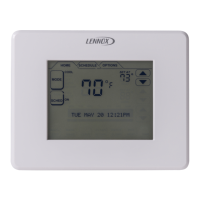
ComfortSenset 5000 Series Models L5711U
and L5732U Programmable Touch Screen
Thermostats
OWNER’S
GUIDE
IMPORTANT
Read and save these instructions.
506067−01
2/2008

Questions and Answers

  • N
    Nathaniel MartinAug 19, 2025
    What to do if Lennox ComfortSense L5711U Thermostat heating system does not turn on?
    • D
      Derek GordonAug 19, 2025
      If your Lennox thermostat's heating system isn't turning on, try these steps: * Ensure the SYSTEM key is set to heat. * Verify the heat temperature setting is above the room temperature and "Heat On" is displayed. * Check the circuit breaker and the power switch for the heating/cooling system. * Confirm the furnace door is securely closed. Allow five minutes for the heating system to respond. If the issue persists, consider contacting a qualified service technician.
  • F
    Frank JonesAug 21, 2025
    What to do if Lennox ComfortSense L5711U cooling system does not turn on?
    • R
      rhonda08Aug 21, 2025
      If the cooling system on your Lennox thermostat isn't turning on: * Press the SYSTEM key to set it to Cool. * Make sure the cooling temperature is set below the room temperature, and "Cool On" is displayed. * Check the circuit breaker and the power switch for the heating/cooling system. * Ensure the furnace door is securely closed. Allow five minutes for the cooling system to respond. If the problem continues, contact a qualified service technician.
  • V
    Victoria MorganAug 23, 2025
    How to fix Lennox ComfortSense L5711U Thermostat when "Heat On" is not displayed?
    • G
      groblesAug 25, 2025
      To fix this, set the System setting to Heat and ensure the temperature setting is above the current room temperature. If "Heat On" appears but the heating system still doesn't turn on, refer to the suggestions for 'Heating system does not turn on'.
  • S
    Steven EvansAug 26, 2025
    What to do when "Cool On" is not displayed on Lennox Thermostat screen?
    • N
      Nicholas HernandezAug 26, 2025
      To resolve this, set the System setting to Cool and make sure the temperature setting is below the room temperature. If "Cool On" is displayed but the cooling system doesn't activate, see the troubleshooting steps for 'Cooling system does not turn on'.
  • R
    Rachael WrightAug 28, 2025
    What does "Wait" mean on my Lennox Thermostat?
    • C
      Christina TorresAug 28, 2025
      The message "Wait" indicates that the compressor minimum-off timer is active. Allow up to five minutes for the compressor to turn on.
  • E
    Edward GomezAug 30, 2025
    How to fix blank display on Lennox ComfortSense L5711U Thermostat?
    • D
      daniel45Aug 30, 2025
      Ensure that fresh AAA alkaline batteries are correctly installed in the thermostat, following the markings inside.
  • T
    Tonya TaylorSep 1, 2025
    Why temperature settings do not change on Lennox ComfortSense L5711U Thermostat?
    • M
      Michael GarrisonSep 1, 2025
      Make sure your temperature settings are within these ranges: * Heating: 40°F to 90°F (4.5°C to 32°C). * Cooling: 50°F to 99°F (10°C to 37°C).
  • M
    Mrs. Danielle KingSep 4, 2025
    Why is my Lennox ComfortSense L5711U Thermostat heating in Cool mode?
    • K
      Karen WilliamsSep 4, 2025
      Check Installer Set?Up Number 170: Heating and/or Cooling Type*. Make sure the setting matches the installed heating and/or cooling system.
  • T
    Thomas SimmonsSep 6, 2025
    What to do if Lennox Thermostat heating system does not turn off?
    • L
      Leonard BaileySep 6, 2025
      Check Installer Set?Up Number 170: Heating and/or Cooling Type*. Make sure the setting matches the installed heating and/or cooling system.
  • N
    Nicholas MooreSep 8, 2025
    Why are Lennox ComfortSense L5711U Thermostat heating and cooling systems running simultaneously?
    • C
      Christopher WallsSep 9, 2025
      Verify Installer Set?Up Number 170: Heating and/or Cooling Type*. Ensure it accurately reflects your installed system. Also, check that bare wire portions aren't touching each other.

Summary

Thermostat Features

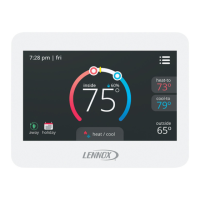
Clear Backlit Display

Large, clear display with backlight shows current temperature, setting, and time even in dark.

Menu-Driven Programming

Menu-driven programming makes set-up effortless via touch screen interaction.

Real-Time Clock & Auto DST

Real-time clock maintains time during power failures and auto-converts to daylight savings time.

Saving Changes Notification

"Saving Changes" notification assures users that changes have been saved correctly.

Reminder Notifications

Reminders notify users of needed maintenance like filter, UV lamp, or battery replacement.

Thermostat Display

System Settings

Fan Settings

Program Your Heating and Cooling Schedule

Schedule Periods Defined

Defines four daily schedule periods: Wake, Leave, Return, and Sleep for comfort and energy saving.

Fan Schedule

Fan Setting Options

Details ON (continuous), AUTO (system on), and CIRC (random) fan operation modes.

Cancel a Schedule Period

Set the Time

Override Temperature Setting-Temporary Hold

Override Temperature Setting-Permanent Hold

Override Temperature Setting-Vacation Hold

Temperature Recovery Feature

Clean the Thermostat Screen

Battery Replacement

Reminder Timers

Resetting Timers

Instructions on how to reset reminder timers for filter, humidifier, or UV lamp after replacement.

View Timer Settings

How to view and modify timer settings and reload values before they expire.

Built-In Compressor Protection

Outdoor Temperature

Advanced Heat Pump Features

Screen Lock

Partially Locked Screen

Locks most keys but allows temperature adjustment; temporary changes last until next schedule.

Fully Locked Screen

Locks all keys except access to user set-up options via SYSTEM key.

Advanced Settings

Troubleshooting Tips

Lennox ComfortSense L5711U Specifications

General IconGeneral
CategoryThermostat
ModelComfortSense L5711U
Display TypeTouchscreen
Wi-Fi ConnectivityYes
Power Source24V AC
Temperature Range40°F to 99°F
Humidity ControlYes
Scheduling7-day programmable
Backup BatteryNo
TypeSmart
CompatibilityWorks with most HVAC systems
Stages2 heat / 2 cool
Warranty5 years

Related product manuals