Page 56
XP21
Load Shed Wiring
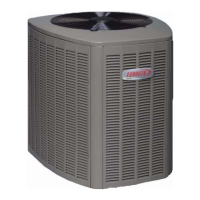
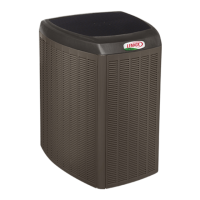
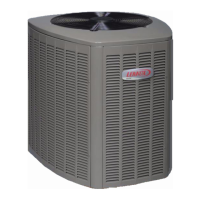
XC21 iComfort™ Outdoor Unit
Wiring Detail with Utility Load Shedding - Preferred Wiring Method
iComfort™ Furnace or
Air Handler
iComfort™ Air Conditioning
or Heat Pump Outdoor Unit
Outdoor Control
Part Numbers
101796-xx
101797-xx
101798-xx
101799-xx
103369-01
103369-02
Figure 28. Preferred Method - Outdoor Controls - 101796-xx, 101797-xx, 101798-xx, 101799-xx, 103369-01 and
103369-02)
Information in this note shows the proper application and
interface wiring of utility load control devices to Lennox
iComfort™-enabled outdoor units installed on iCom
fort™-enabled communicating thermostat systems.
PREFERRED WIRING (OUTDOOR CONTROLS -
101796-XX, 101797-XX, 101798-XX, 101799-XX,
103369-01 AND 103369-02)
1. Utility Load Shedding Mode ACTIVATED (Utility
Cycled Unit OFF) – The normally closed set of con
tacts in the utility load control receiver open. This
interrupts the R iComfort™ communication wire
between the indoor unit and iComfort™-enabled out
door unit. The iComfort™-enabled outdoor unit will be
cycled OFF. A "Lost Communication alert" will appear
on the display of the iComfort WiFi
®
thermostat. If the
customer has selected the option to be notified when
an alert occurs, the customer will be notified by email
when the alert occurs.
2. Utility Load Shedding Mode DEACTIVATED (Nor
mal Equipment Operation) – When load shedding is
deactivated, the contacts in the utility load control re
ceiver are closed. The R iComfort™ communication
wire between the indoor unit and iComfort™ outdoor
unit is connected and iComfort™ communication is re
stored. The outdoor unit will return to normal operation
and the alert code will clear.
PREFERRED WIRING (OUTDOOR CONTROL -
103369-03)
1. Utility Load Shedding Mode ACTIVATED (Utility
Cycled Unit OFF) – The normally closed set of con
tacts in the utility load control receiver “open”. This
removes 24VAC from the coil of the field-provided re
lay (catalog # 69J79). The relay contacts close
(terminal 7 to terminal 2), completing the circuit
between terminals R and L on the outdoor control. This
24VAC input to terminal L activates the load shedding
mode in the outdoor control and the outdoor unit will be
cycled OFF. The 7‐Segment display on the outdoor
control will display a load shedding alert code E600
and an alert will appear on the display of the iComfort
WiFi
®
thermostat. If the customer has selected the op
tion to be notified when an alert occurs, the customer
will be notified by email when the alert occurs.
2. Utility Load Shedding Mode DEACTIVATED (Nor
mal Equipment Operation) – When load shedding
not required, the contacts in the utility load control re
ceiver are closed. This provides 24VAC to the coil of
the field provided relay (catalog # 69J79).The relay
contacts OPEN (terminal 7 to terminal 2) removing
24VAC from the L terminal on the outdoor control. This
deactivates the load shedding mode in the outdoor
control. The outdoor unit will return to normal operation
and alert code will clear.


 To Next Page
 Loading...