EasyManua.ls Logo

Lenovo D22-17 - User Manual

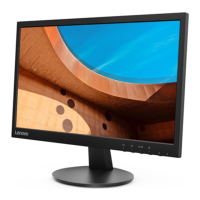
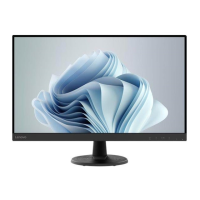
Lenovo D22-17
28 pages
Print Icon
To Next Page IconTo Next Page
Loading...
Lenovo
D22-17
User Guide

Questions and Answers

  • J
    James JensenAug 13, 2025
    What to do if my Lenovo D22-17 Monitor power indicator is not lit and there is no image?
    • A
      Amanda BrooksAug 13, 2025
      If your Lenovo Monitor's power indicator isn't lit and there's no image, ensure the power cord is properly connected and the outlet has power. Power on the monitor. Try another power cord or electrical outlet.
  • J
    Jennifer LaneAug 16, 2025
    Why is my Lenovo Monitor screen blank with a steady amber or flashing green power indicator?
    • K
      Kyle DavenportAug 16, 2025
      If your Lenovo Monitor screen is blank but the power indicator is steady amber or flashing green, try pressing any key on the keyboard or moving the mouse to restore operation. Also, check the Power options settings on your computer.
  • A
    Andrew GloverAug 21, 2025
    What to do if my Lenovo Monitor power indicator is green, but there is no image?
    • D
      David HawkinsAug 21, 2025
      If your Lenovo Monitor's power indicator is green but there's no image, ensure the video cable is properly connected to both the system and the monitor. Also, adjust the brightness and contrast settings on the OSD menu, as they may be at their lowest settings.
  • A
    Amanda GallowayAug 25, 2025
    How to improve unacceptable image quality on Lenovo Monitor?
    • D
      Daniel RamseyAug 25, 2025
      If the image quality on your Lenovo Monitor is unacceptable, ensure the video signal cable is firmly plugged into both the system and the monitor. You can also select another colour setting from the OSD menu. Additionally, perform automatic image setup.
  • J
    Jasmine GonzalezAug 28, 2025
    How to resolve fuzzy lines or blurry image on Lenovo D22-17 Monitor?
    • E
      Elizabeth FletcherAug 28, 2025
      If you see fuzzy lines in text or a blurry image with horizontal or vertical lines on your Lenovo Monitor, adjust the resolution settings on your system to match the native resolution for this monitor: 1920x1080 at 60 Hz. Perform automatic image setup. If automatic image setup does not help, perform manual image setup. When working in the native resolution, you may find additional improvements by adjusting the Dots Per Inch (DPI) setting on your system.
  • Q
    qstewartSep 1, 2025
    How to fix Lenovo D22-17 Monitor showing 'Out of Range' with a flashing green power indicator?
    • T
      Travis MooreSep 1, 2025
      If your Lenovo Monitor displays 'Out of Range' and the power indicator is flashing green, it means the system is set to a display mode not supported by the monitor. If replacing an old monitor, reconnect it and adjust the display mode to within the specified range for your new monitor. If using Windows, restart in safe mode and select a supported display mode. If problems persist, contact Customer Support.
  • B
    Brett RasmussenSep 4, 2025
    What to do if the image is not acceptable when switching to dual mode on Lenovo D22-17 Monitor?
    • M
      Matthew HowardSep 5, 2025
      To resolve an unacceptable image when switching to dual mode on your Lenovo Monitor, use ThinkVision Duo software to optimize the dual screen operation. You can also adjust graphic card resolution manually.
  • S
    Shelby KhanSep 8, 2025
    Why do pixels appear discoloured on my Lenovo Monitor?
    • P
      Paul MendozaSep 8, 2025
      If one or more pixels appear discoloured on your Lenovo Monitor, it is a characteristic of the LCD technology and is not an LCD defect. If there are more than five pixels missing, contact the Customer Support Centre.

Lenovo D22-17 Specifications

General IconGeneral
Screen Size21.5 inches
Panel TypeTN
Refresh Rate60 Hz
Response Time5 ms
Contrast Ratio600:1
Ports1 x VGA, 1 x HDMI 1.4
Aspect Ratio16:9
Color Support16.7 million
VESA Mount100 x 100 mm
Resolution1920 x 1080
Brightness200 cd/m²
Viewing Angle90°
Power Consumption15 watts

Related product manuals