EasyManua.ls Logo

Lenovo IdeaCentre B310 - Rear View of the Computer

Lenovo IdeaCentre B310
25 pages
Print Icon
To Next Page IconTo Next Page
To Previous Page IconTo Previous Page
Loading...
6
Hardware Replacement Guide
Camera LCD On/Off indicator
Built-inmicrophone Hard disk drive indicator
LCD On/Off WirelessLANcardindicator
Brightnessdown Bluetoothindicator
Brightnessup Powerbutton
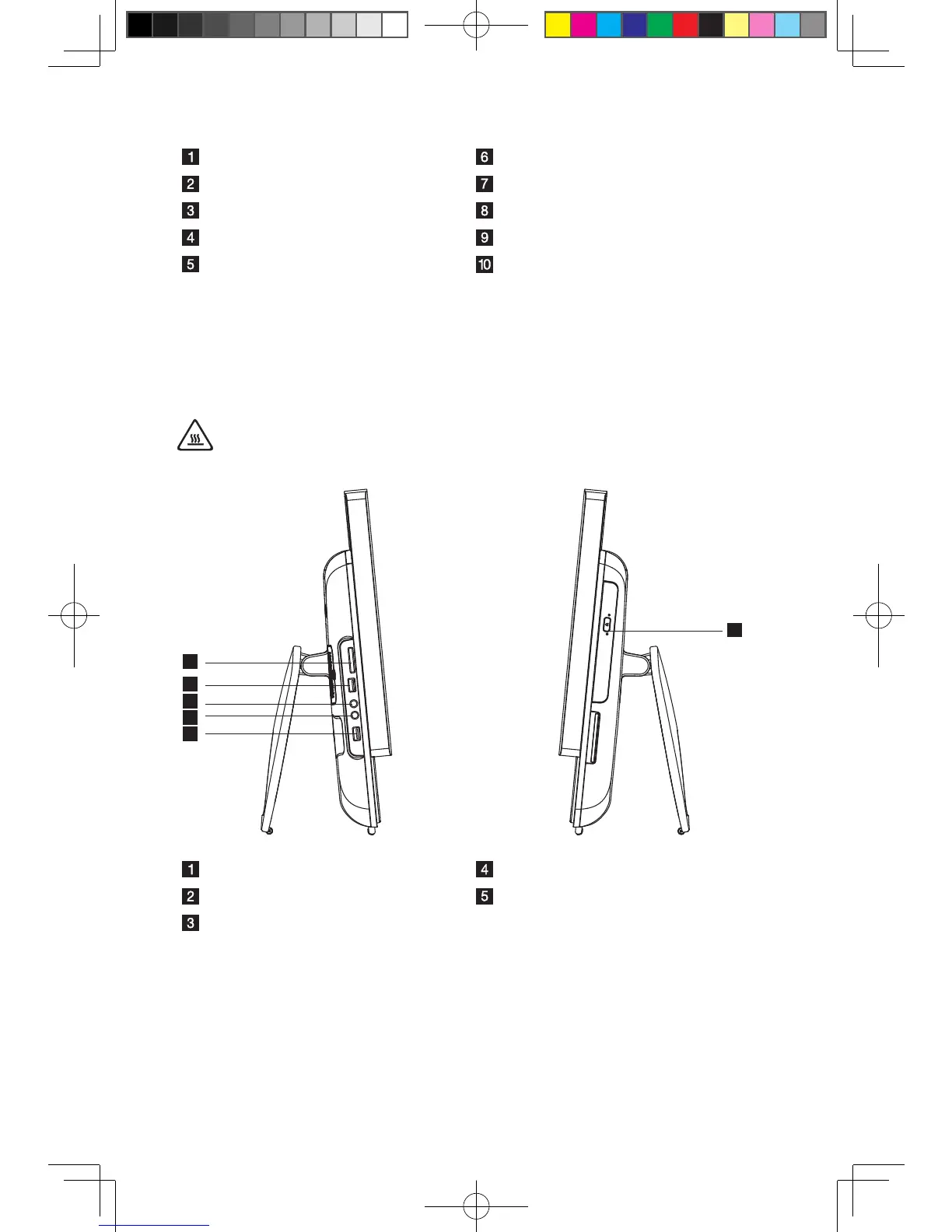
Left and right view
The following illustrations show the location of connectors on the left and right side
of the computer.
Attention: Besurenottoblockanyairventsonthecomputer.Blockedair
vents may cause thermal problems.

2
3
4
1
2
5
Memory card reader Microphone connector
USBconnector Optical drive
Headphone connector
31045699 IdeaCentre B3 HRG V1.1 (EN)(R).indd 6 2010-7-23 17:02:42

Other manuals for Lenovo IdeaCentre B310

Related product manuals