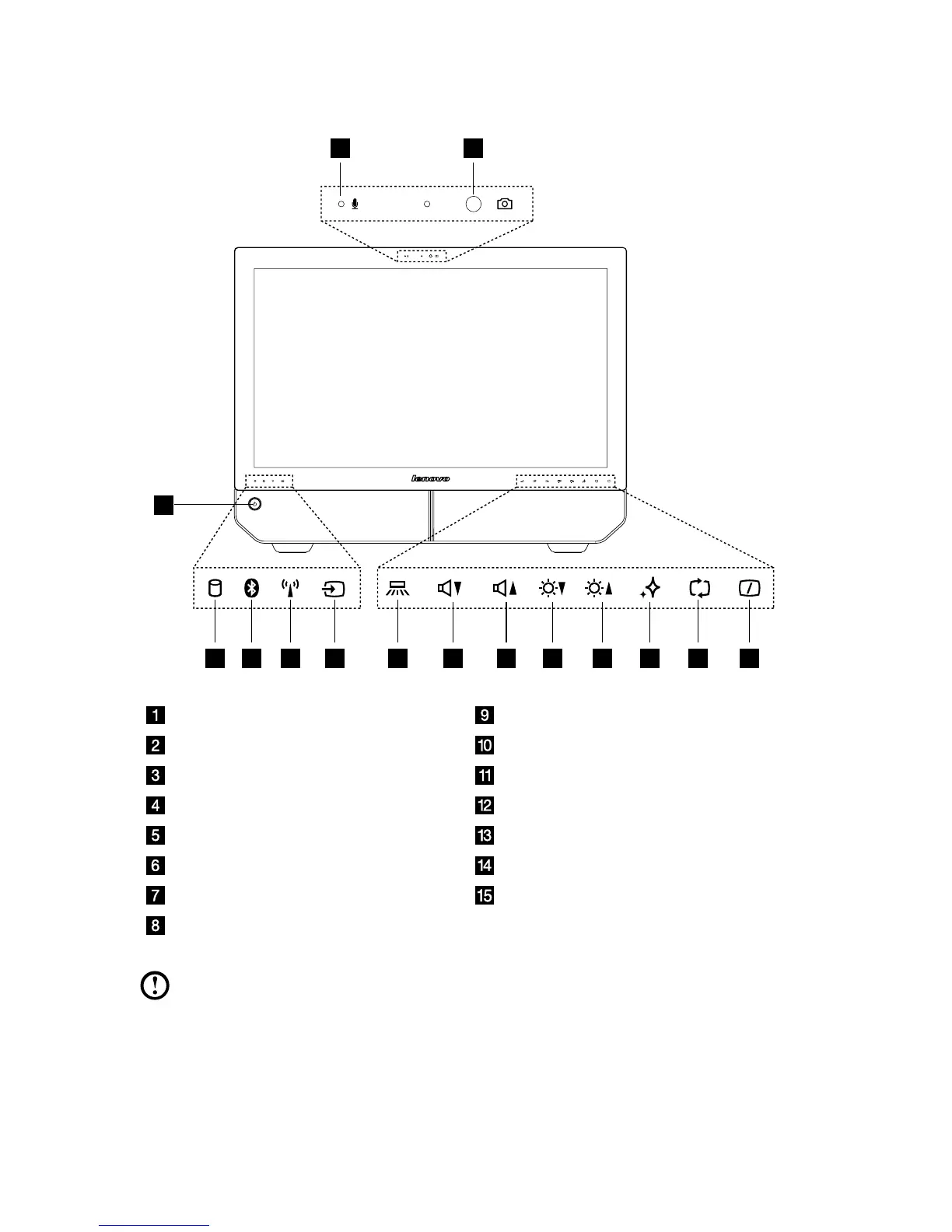
Built-in microphone Volume down
Camera Volume up
Power button Brightness down
Hard Disk Drive Indicator Brightness up
Bluetooth status indicator Novo Vision button
WIFI status indicator PC mode / HDMI-in / AV-in switch
AV-in / HDMI-in indicator Monitor On/Off
Indicator lights ON/OFF button
Note: The quality of video output will be affected accordingly due to the
restriction of the actual bandwidth used by users and the limitation of data
transmission speed of the video communication software.












 To Next Page