Chapter 1. 1-5
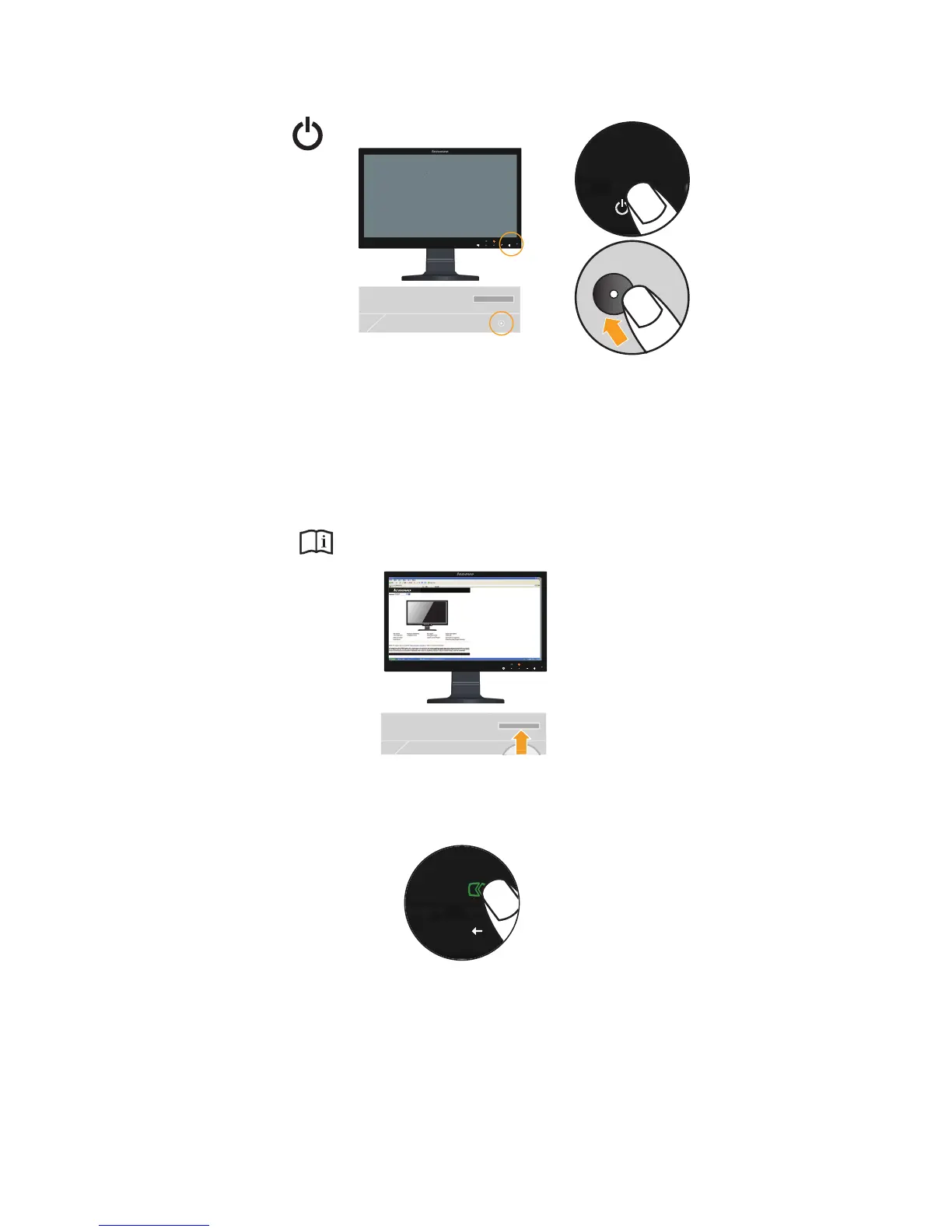
4. Power on the monitor and the computer.
5. To install the monitor driver, insert the Reference and Driver CD, click Install driver, and
follow the on-screen instructions.
6. To optimize your monitor image, press the Automatic Image Setup key. Automatic image
setup requires that the monitor is warmed up for at least 15 minutes. This is not required
for normal operation.
Note: If automatic image setup does not establish the image that you prefer, perform manual
image setup. See "Manual image setup"on page 3-4.


 To Next Page