Chapter 1. Getting to know your computer
7
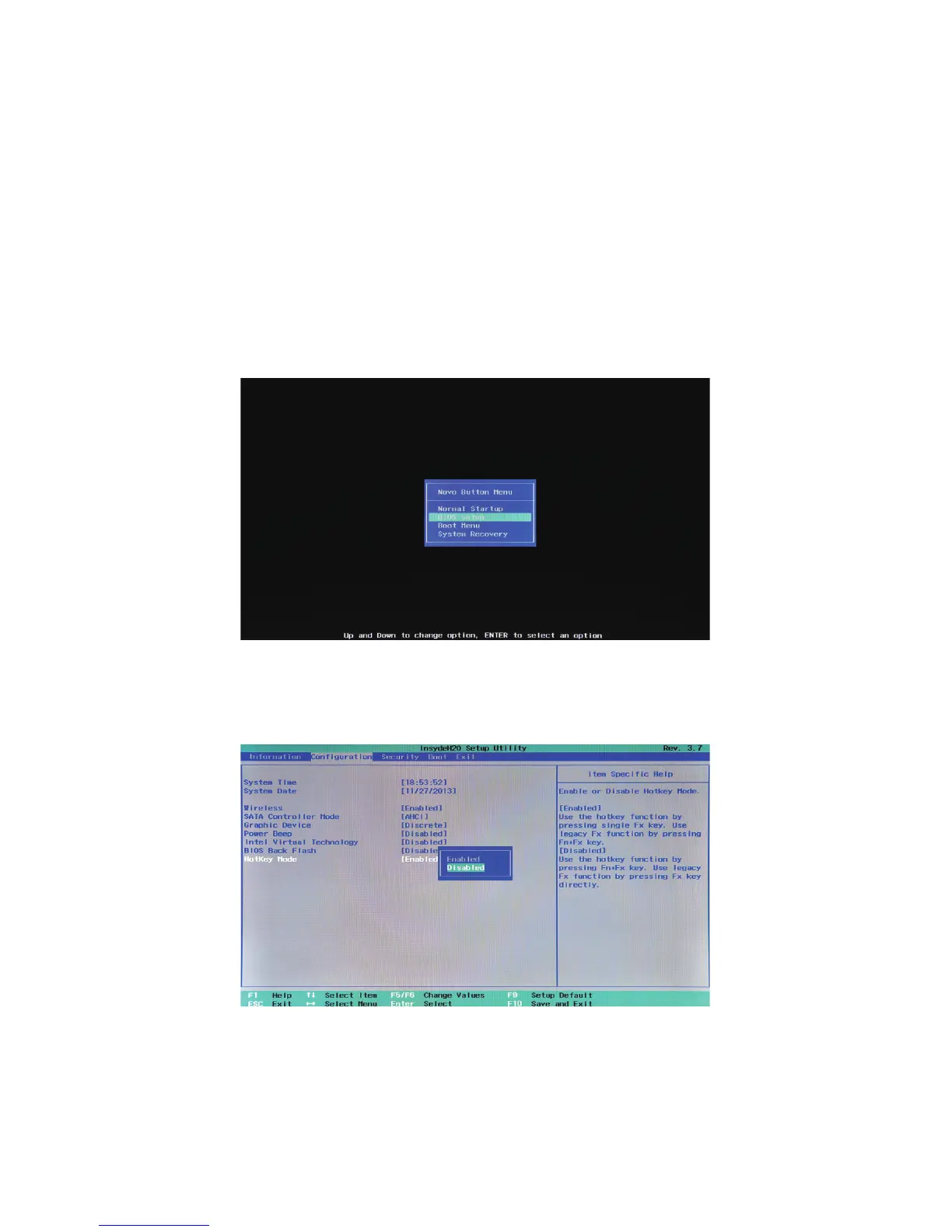
Setting hotkey mode
By default, the hotkey functions are accessible by pressing the appropriate
hotkey. However, you can disable the hotkey mode in the BIOS setup utility.
To disable the hotkey mode:
1
Shut down the computer.
2
Press the Novo button and then select BIOS Setup.
3
In the BIOS setup utility, open the Configuration menu, and change the
setting of HotKey Mode from Enabled to Disabled.



 To Next Page