42
Appendix A. CRU instructions
Removing the optical drive - - - - - - - - - - - - - - - - - - - - - - - - - - - - - - - - - - - - - - - - - - - - - - - - - - - - - -
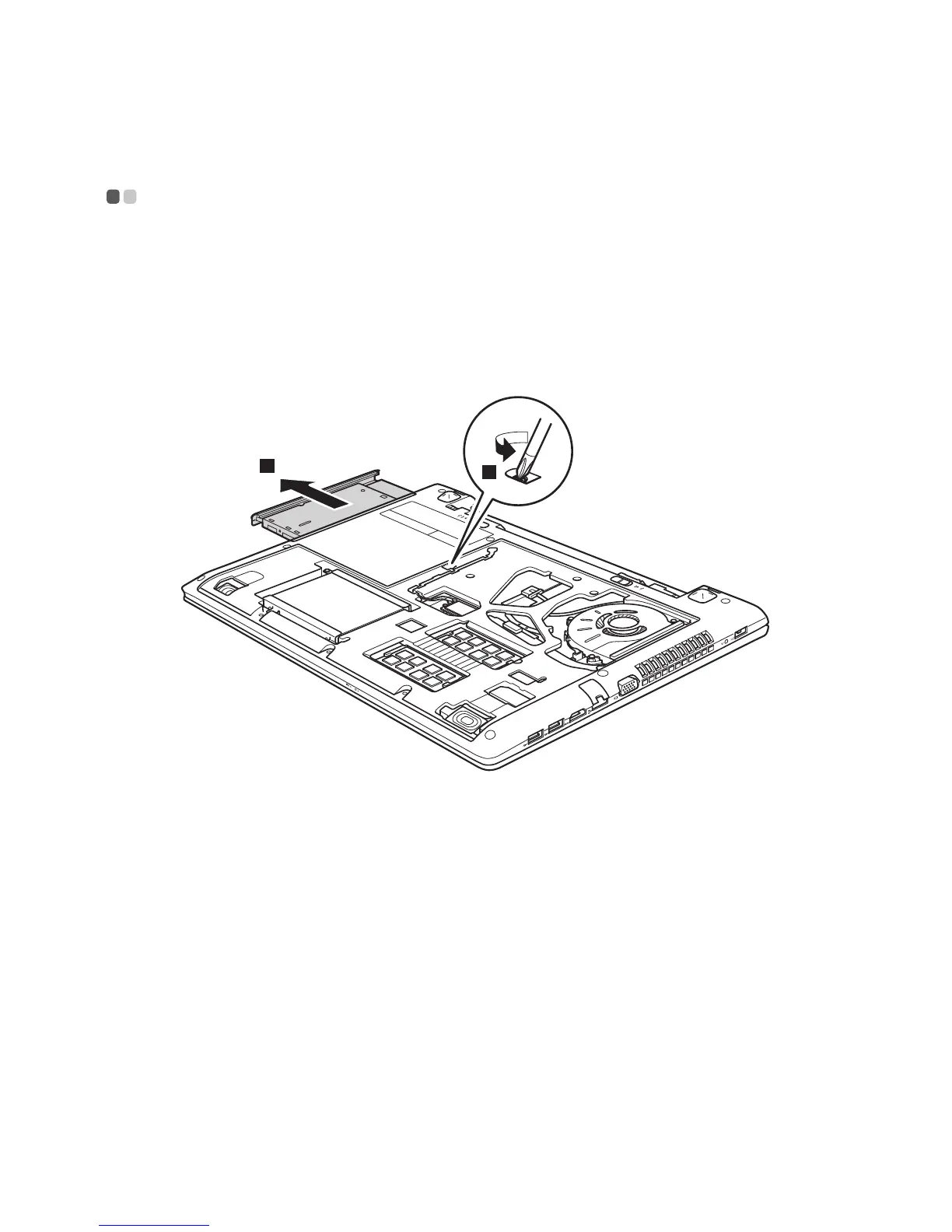
To remove the optical drive, do the following:
1
Remove the Optical drive/Hard disk drive/Memory/Central processing
unit/Mini PCI Express Card slot compartment cover.
2
Remove the screw shown in the illustration .
3
Gently pull the optical drive out .


 To Next Page