Using the Google Home app
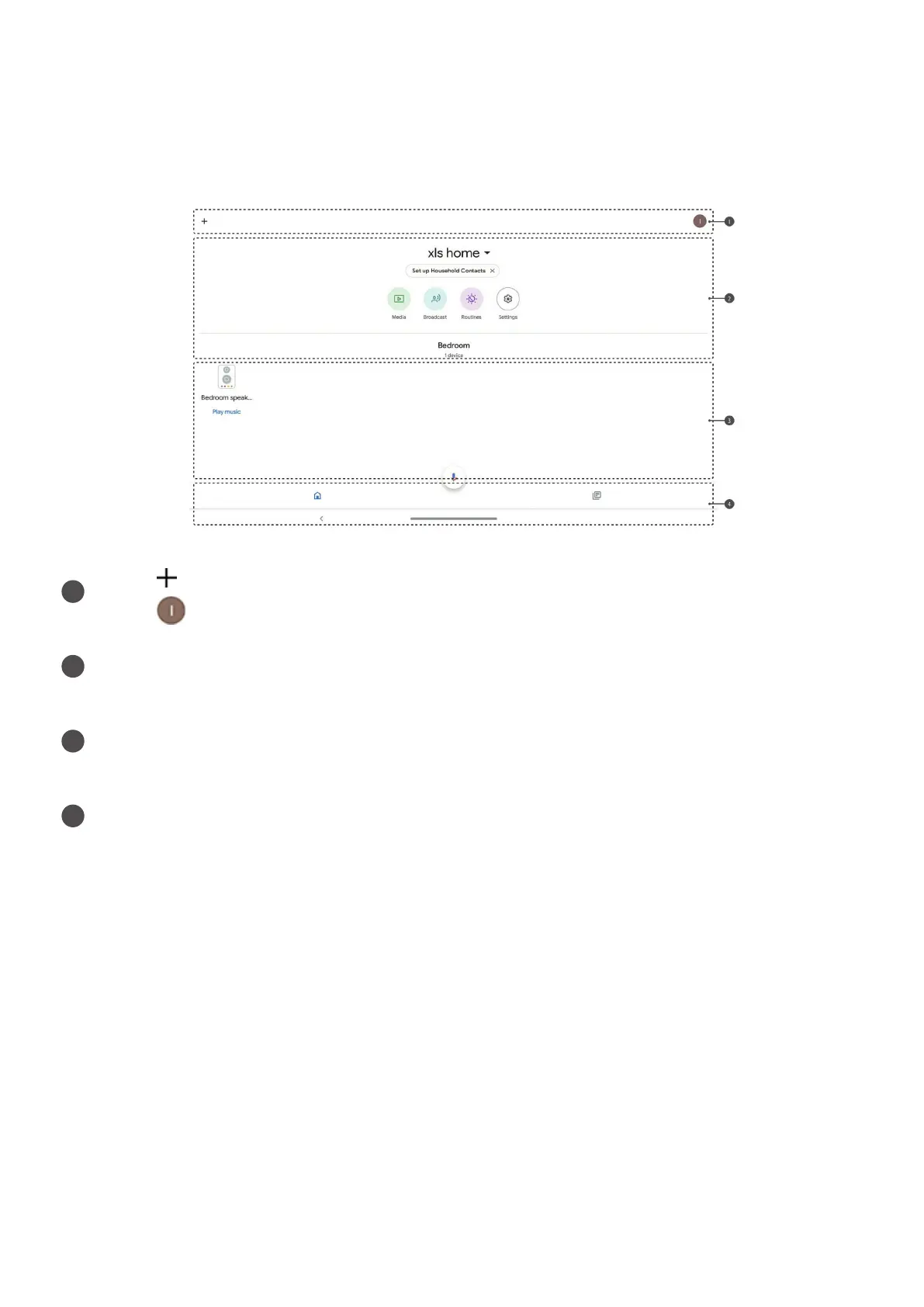
UsetheGoogleHomeapptomanageyourdevice.Throughtheapp,youcanmodify
yourGoogleAssistantsettingsincludingyourpersonalinformation,yourmediaservice
preferences,andyourconnectedsmarthomedevices.
1
Tap toaddfeaturestohome,manageservices,orviewoers.
Tap tomanageyourGoogleAccount.
2
Viewandchangeinformation.
3 Displaydisconnectedandavailabledevicesnearby.
4
MaintabsincludetheHometabandtheRecenteventstab.


 To Next Page