Installingorremovingtheverticalstand
Attention:
Donotopenyourcomputerorattemptanyrepairbeforereadingandunderstandingthe“Importantsafetyinformation”
onpagev
.
Thissectionprovidesinstructionsonhowtoinstallorremovetheverticalstand.
Note:Theverticalstandisonlyavailableonsomemodels.
Toinstallorremovetheverticalstand,dothefollowing:
1.Turnoffthecomputer.
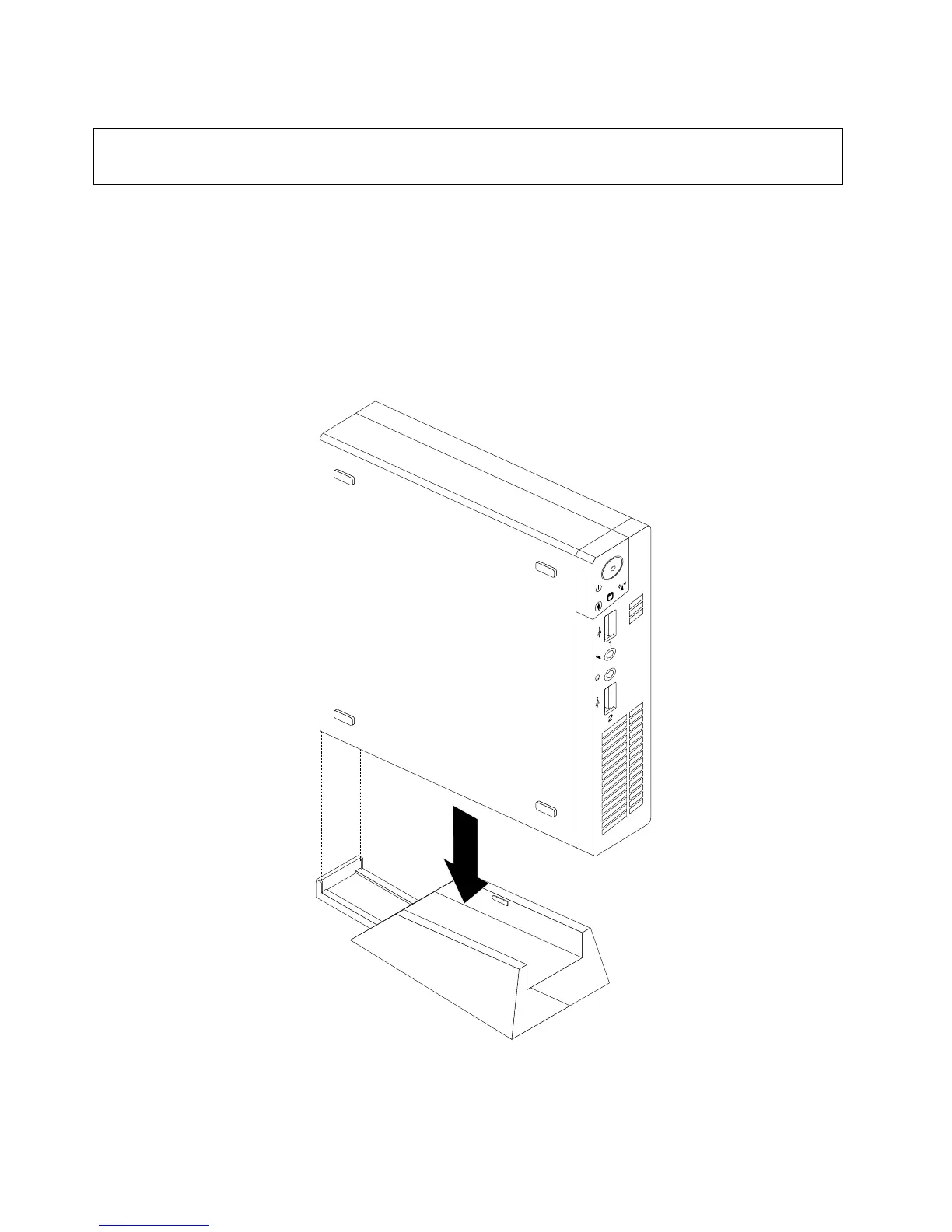
2.Aligntherearofthecomputerwiththerearoftheverticalstandandpositionthecomputeronthe
verticalstandasshown.
Figure7.Installingtheverticalstand
30ThinkCentreUserGuide






 To Next Page