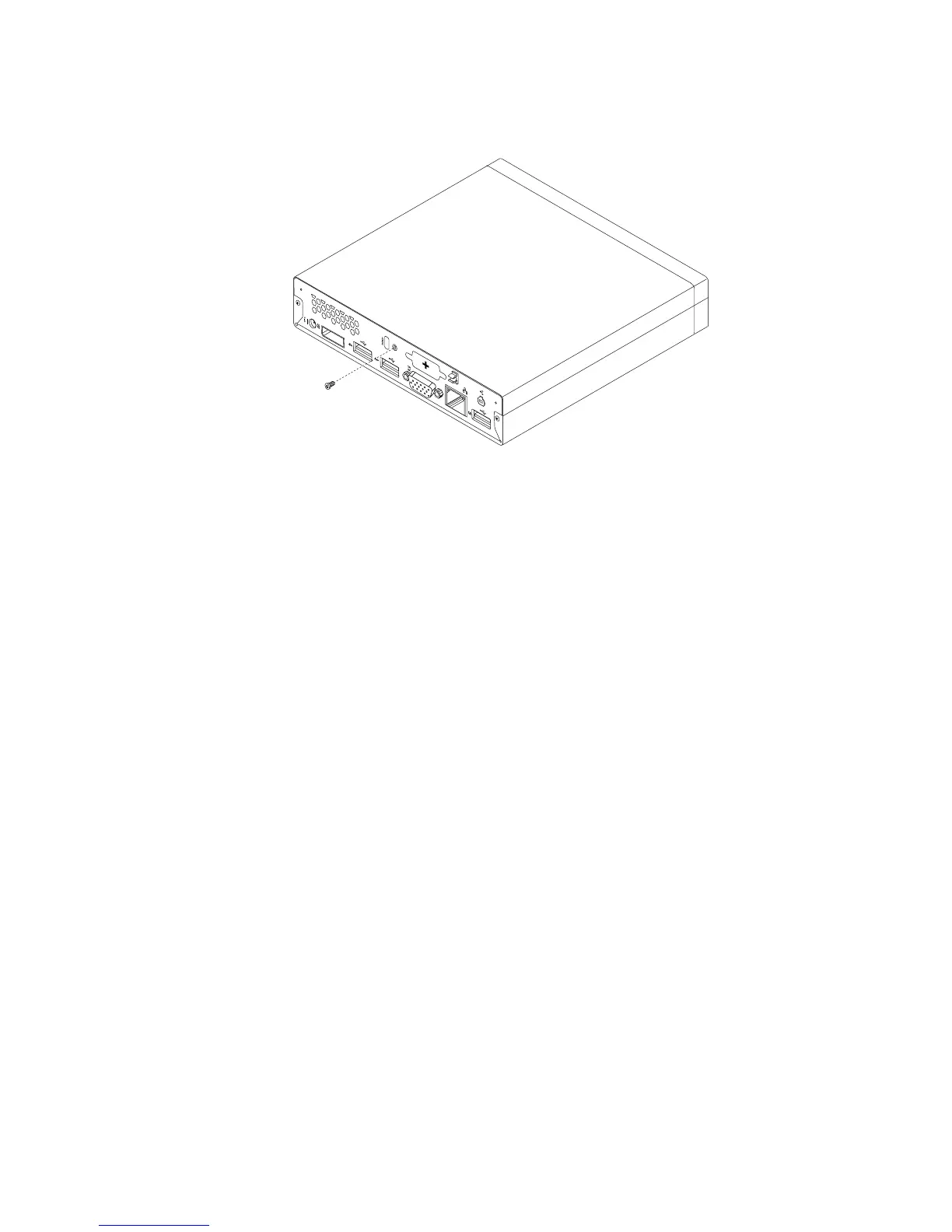
4.Installthescrewtosecurethecomputercover.
Figure72.Installingthecomputercoverscrew
5.Ifthereisanintegratedcablelockavailable,lockthecomputer.See“Attachinganintegratedcable
lock”onpage26
.
6.Reconnecttheexternalcablesandpowercordstothecomputer.See“Locatingconnectorsonthe
rearofyourcomputer”onpage10.
7.Toupdateyourconguration,refertoChapter7“UsingtheSetupUtilityprogram”onpage87.
Note:Inmostareasoftheworld,LenovorequiresthereturnofthedefectiveCustomerReplaceableUnit
(CRU).InformationaboutthiswillcomewiththeCRUorwillcomeafewdaysaftertheCRUarrives.
Obtainingdevicedrivers
Youcanobtaindevicedriversforoperatingsystemsthatarenotpreinstalledat
http://www.lenovo.com/support.Installationinstructionsareprovidedinreadmeleswiththedevice-driver
les.
Chapter5.Installingorreplacinghardware77




 To Next Page