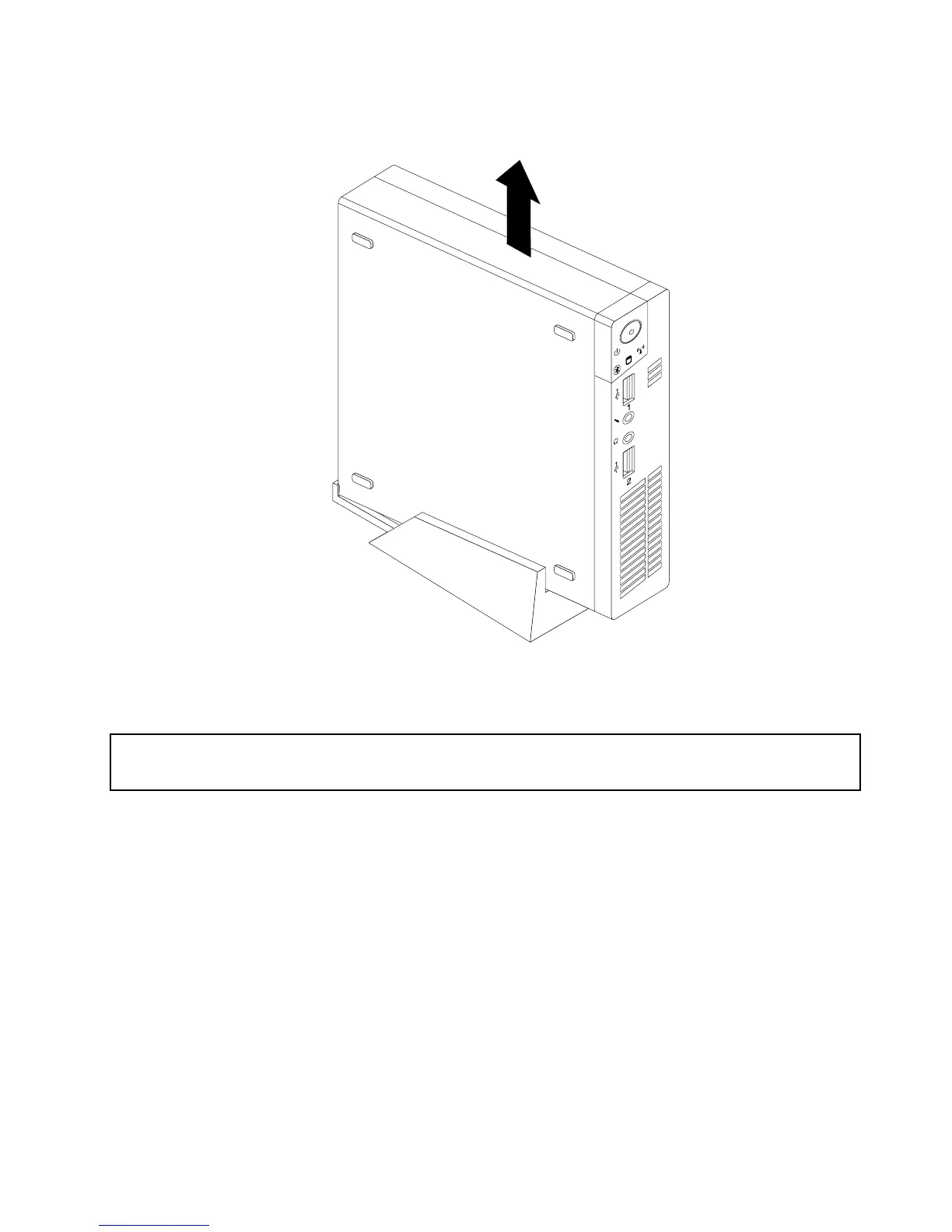
3.Toremovetheverticalstand,liftthecomputertoremoveitfromtheverticalstand.
Figure8.Removingthecomputerfromtheverticalstand
InstallingorremovingtheVESAmountbracket
Attention:
Donotopenyourcomputerorattemptanyrepairbeforereadingandunderstandingthe“Importantsafetyinformation”
onpagev.
ThissectionprovidesinstructionsonhowtoinstallorremovetheVESA(VideoElectronicsStandards
Association)mountbracket.
Note:TheVESAmountbracketisonlyavailableonsomemodels.
ToinstallorremovetheVESAmountbracket,dothefollowing:
1.Turnoffthecomputeranddisconnectallpowercordsfromelectricaloutlets.
Chapter5.Installingorreplacinghardware31




 To Next Page