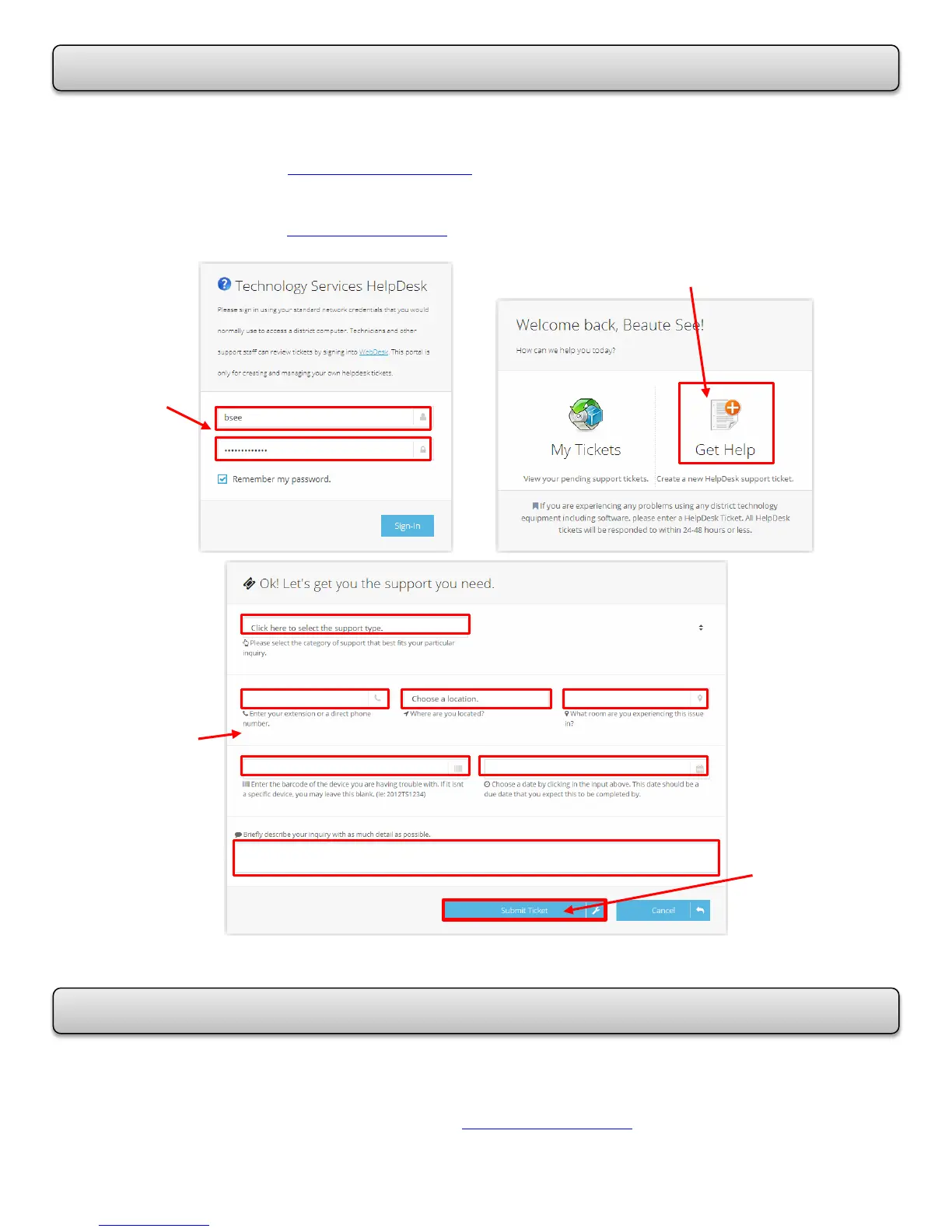
Report computer problems online using the Technology Services HelpDesk at -
Alvin ISD intranet (intranet.alvinisd.net) - Click on IT HelpDesk (Tech. Support)
OR
Alvin ISD website (www.alvinisd.net) – Click on Staff and Tech Support Helpdesk
You will receive an e-mail confirmation that a HelpDesk ticket has been submitted.
For additional Training, contact –
Beauté See, Alvin ISD Technology Trainer
#281-245-2483 bsee@alvinisd.net
Use your
Network
Log In
and
Password
Enter your
information
in all of the
areas.
When you
are
finished,
click
Submit
Ticket.














 To Previous Page