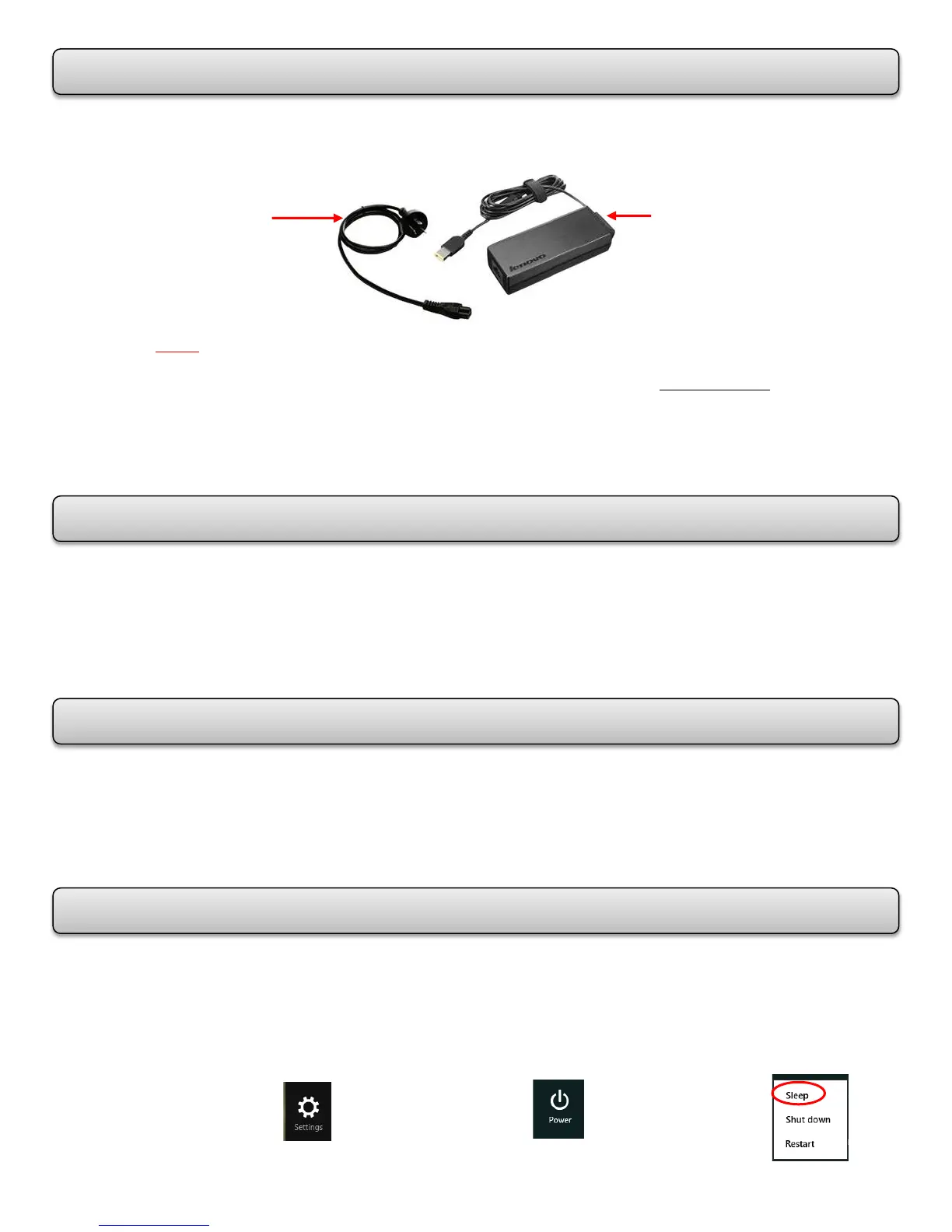
The laptop comes with an AC Power Adapter. While you use ac power, the battery charges
automatically. The AC Power Adapter has two basic components:
NOTE: Using an improper power cord could cause severe damage to your computer.
To connect the AC Power Adapter, perform the following actions in this order:
1. Connect the power cord to an electrical outlet.
2. Connect the power cord to the transformer pack.
3. Connect the AC Power Adapter to the ac power connector of the computer.
Before you charge the battery, make sure that its temperature is at least 10°C (50°F).
The battery will be fully charged in about 3-6 hours.
When the AC Power Adapter is not in use, disconnect it from the electrical outlet.
Do not bind the power cord tightly around the transformer pack when it is connected
to the transformer.
The computer does not start recharging the battery if the remaining power is greater than
95%. To maximize the life of the battery, do the following:
Use the battery until the charge is completely depleted.
Recharge the battery completely before using it.
In Sleep Mode, your work is saved to memory, and then the solid-state drive or the hard
disk drive and the computer display are turned off. When your computer wakes up, your
work is restored within seconds.
To set up Sleep Mode – Swipe the right side of the screen to bring up the charms.
Click on Settings. Click on Power. Click on Sleep.
MAXIMIZING THE BATTERY LIFE
The Transformer Pack
(converts ac power for
use with the computer)
The Power Cord
(plugs into the ac outlet and
into the transformer pack)














 To Next Page