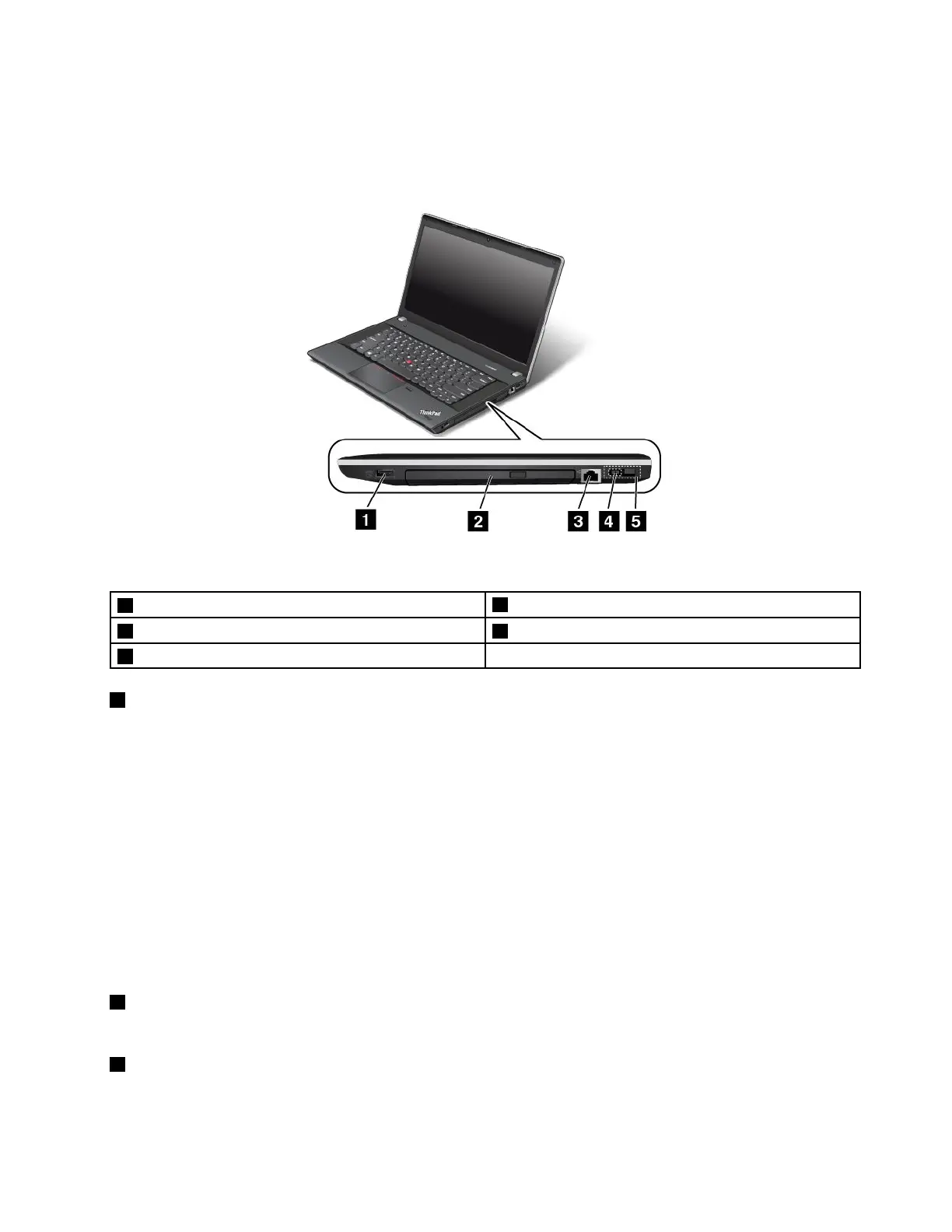
Right-sideview
Note:Yourcomputerkeyboardmightlookdifferentfromthefollowingillustration.
Figure3.ThinkPadEdgeE431andE531right-sideview
1AlwaysOnUSBconnector
4acpowerconnector
2Opticaldrive5LenovoOneLinkconnector
3Ethernetconnector
1AlwaysOnUSBconnector
Bydefault,theAlwaysOnUniversalSerialBus(USB)connectorenablesyoutochargesomemobiledigital
devicesandsmartphoneswhenyourcomputerisinsleeporhibernationmode.
Ifyouwanttochargethesedeviceswhenyourcomputeristurnedoff,dothefollowing:
1.Connectthecomputertoanacpowersupply.
2.GotoThinkPadSetupandenableAlwaysOnUSBChargeinoffmode.Formoreinformation,see
“Congmenu”onpage106
.
3.Dooneofthefollowing:
•ForWindows7:OpenthePowerManagerprogramandclickGlobalPowerSettingsorclick
Advanced➙GlobalPowerSettings.ThenselectEnableAlwaysOnUSBandclickOK.
•ForWindows8:PresstheWindowskeytogototheStartscreen.ClickLenovoSettings➙Power.
ThenselectEnablewhenthecomputerisoffunderAlwaysOnUSB.
2Opticaldrive
Theopticaldrivereadsopticaldiscs.
3Ethernetconnector
Connectyourcomputertoalocalareanetwork(LAN)withtheEthernetconnector.
Chapter1.Productoverview5














 To Next Page