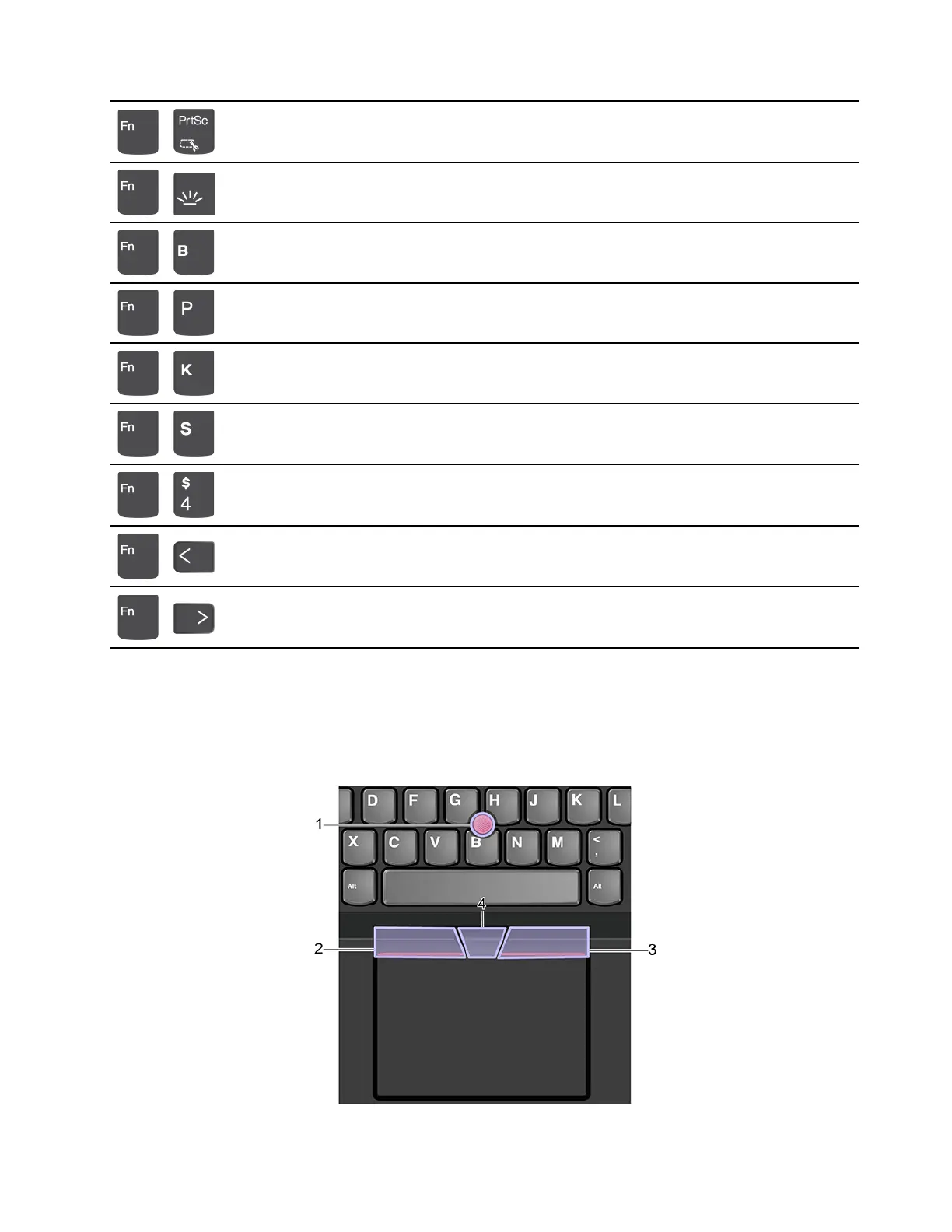
+
Open Snipping Tool
+
Toggle keyboard backlight (for selected models)
+
Break operation
+
Pause operation
+
Scroll contents
+
Send system request
+
Enter sleep mode
To wake up the computer, press Fn or the power button.
+
Go to beginning
+
Go to end
Use the TrackPoint pointing device
The TrackPoint pointing device enables you to perform all the functions of a traditional mouse, such as
pointing, clicking, and scrolling.
Use the TrackPoint pointing device
Chapter 2. Get started with your computer 11









 To Next Page