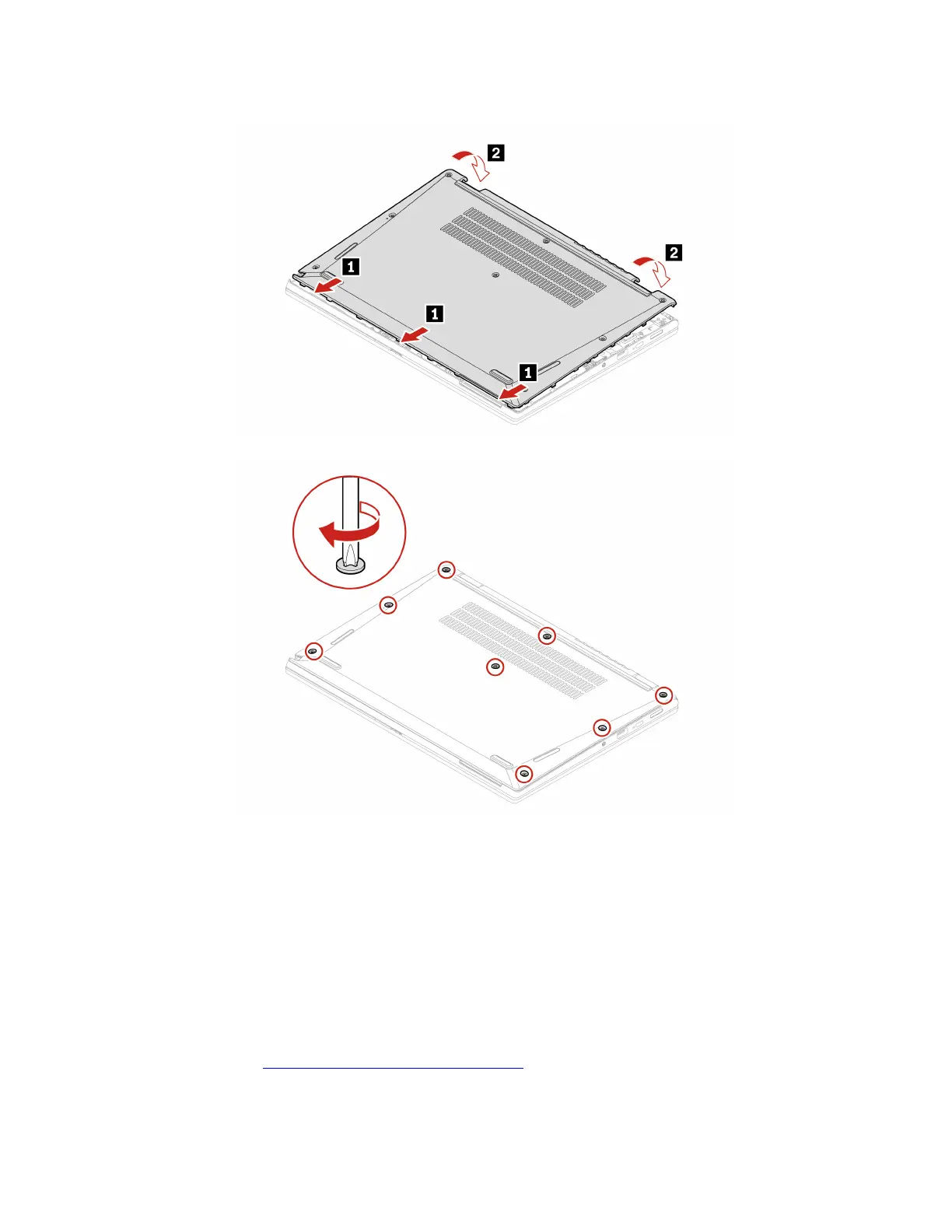
Installation procedure
Troubleshooting
If the computer does not start up after you reinstall the base cover assembly, disconnect the ac power
adapter and then reconnect it to the computer.
Wireless-WAN card (for selected models)
The following information is only for the computer with user-installable modules. Ensure that you use only a
Lenovo-authorized wireless module specifically tested for this computer model. Otherwise, the computer will
generate an error-code beep sequence when you turn on the computer.
Prerequisite
Before you start, read
Generic Safety and Compliance Notices and print the following instructions.
Attention: Do not touch the contact edge of the wireless WAN card. Otherwise, the wireless WAN card
might get damaged.
Chapter 6. CRU replacement 33









 To Next Page