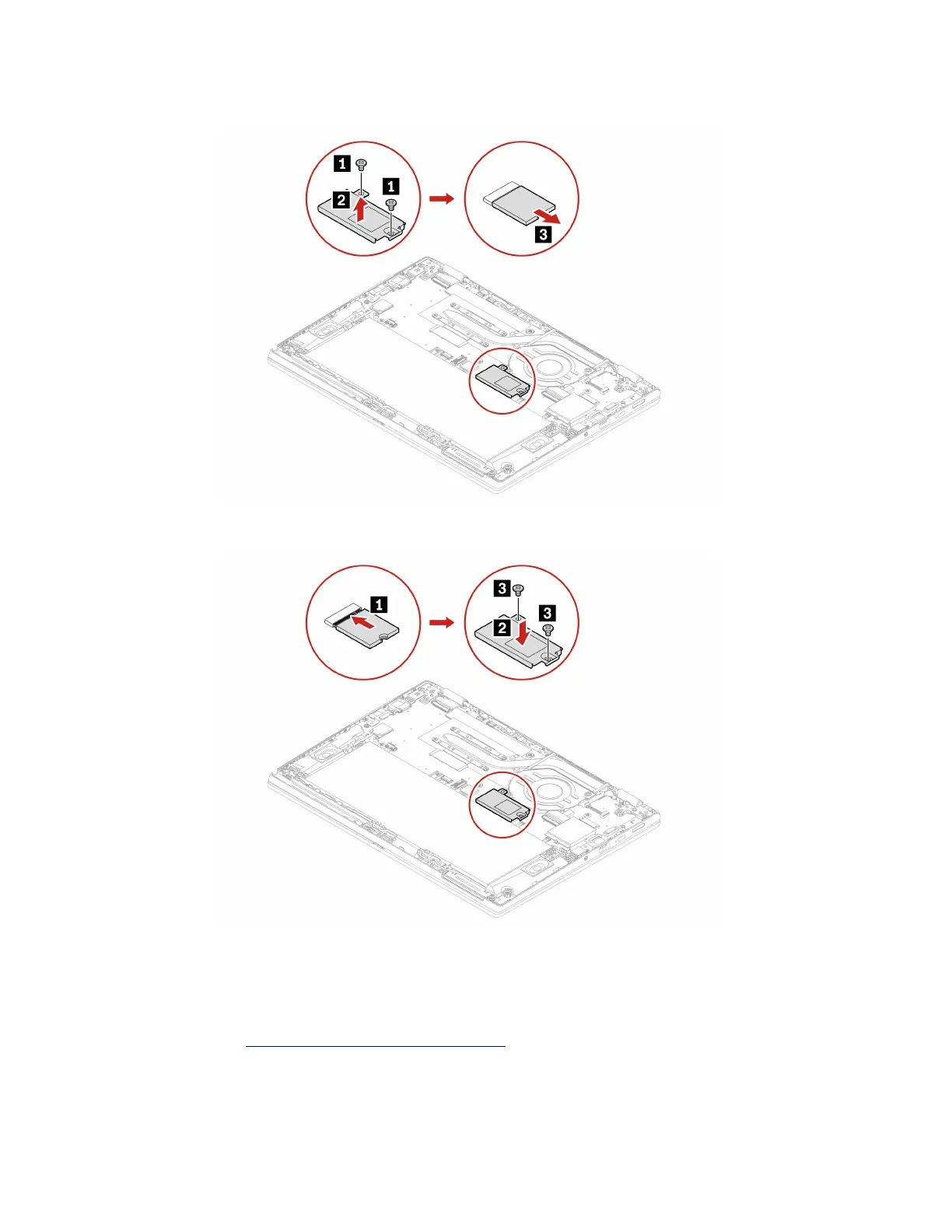
Removal procedure
Installation procedure
Keyboard
Prerequisite
Before you start, read
Generic Safety and Compliance Notices and print the following instructions.
For access, do the following:
1. Disable the built-in battery. See “Disable the built-in battery” on page 31.
36
ThinkPad L13 Gen 4, ThinkPad L13 Yoga Gen 4, ThinkPad S2 Gen 8, and ThinkPad S2 Yoga Gen 8 User Guide










 To Next Page