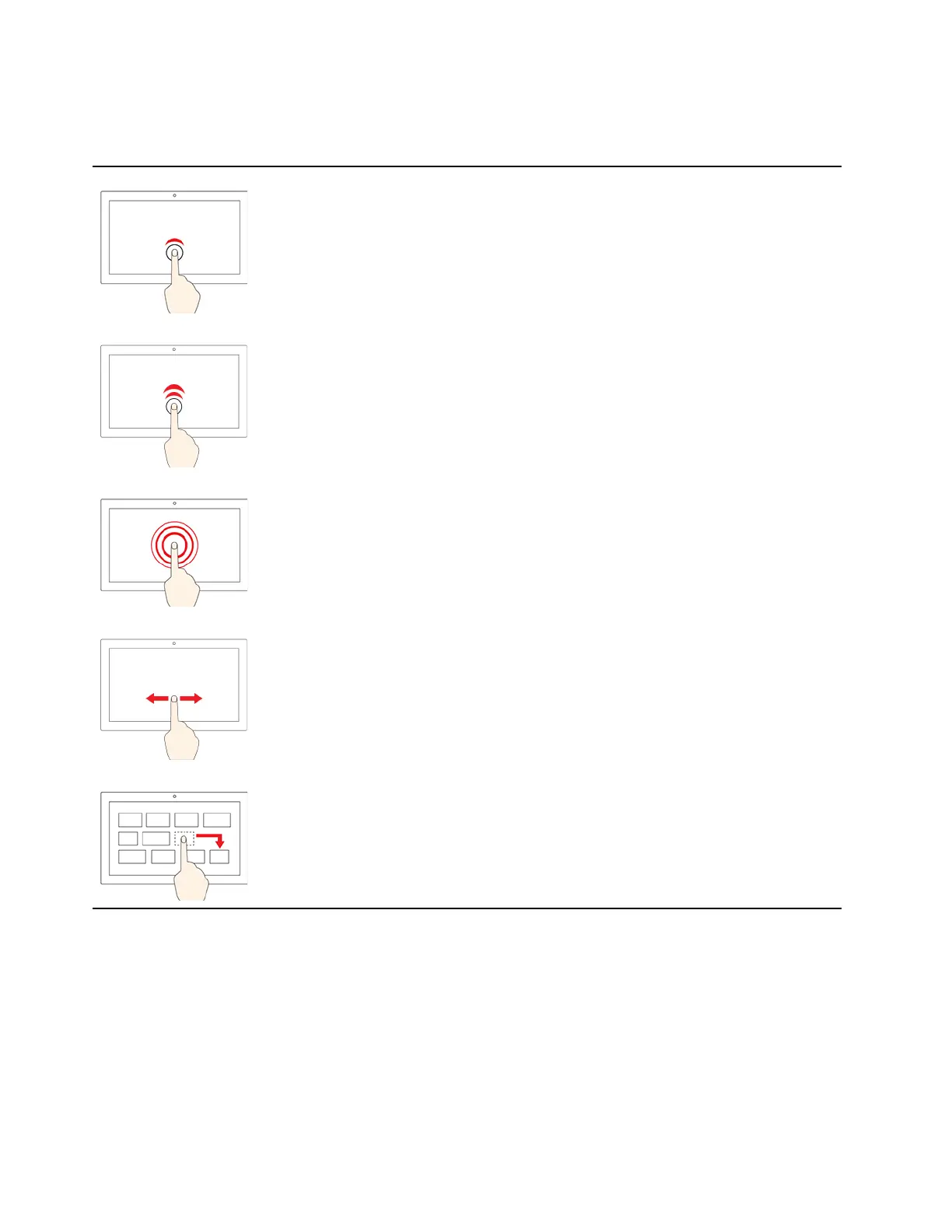
Note: Some gestures might not be available depending on the app you use.
Illustration
Description
Tap once
• From the Start menu: Open an app or item.
• From the desktop: Select an app or item.
• In an open app: Perform an action such as Copy, Save, and
Delete, depending on the app.
Tap twice quickly
Open an app or item from the desktop.
Tap and hold
Open a shortcut menu.
Slide
Scroll through items, such as lists, pages, and photos.
Drag an item to the location you want
Move an object.
14 ThinkPad L13 Gen 4, ThinkPad L13 Yoga Gen 4, ThinkPad S2 Gen 8, and ThinkPad S2 Yoga Gen 8 User Guide









 To Next Page