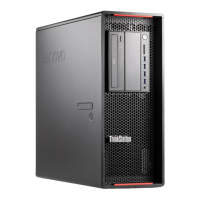
Chapter1.Productoverview
Thischapterprovidesinformationaboutthecomputerfeatures,specifications,softwareprogramsprovided
byLenovo,andlocationsofconnectors,components,partsonthesystemboard,andinternaldrives.
Features
Thissectionintroducesthecomputerfeatures.Theinformationcoversavarietyofmodels.
Toviewtheinformationaboutyourspecificmodel,dooneofthefollowing:
•GointotheSetupUtilityprogrambyfollowingtheinstructionsinChapter7“UsingtheSetupUtility
program”onpage77
.Then,selectMain➙SystemSummarytoviewtheinformation.
•OntheMicrosoft
®
Windows
®
7operationsystem,clickStart,right-clickComputer,andselectProperties
toviewtheinformation.
•OntheMicrosoftWindows8orWindows8.1operatingsystem,gotothedesktopandmoveyourpointer
tothetop-rightorbottom-rightcornerofthescreentodisplaythecharms.ThenclickSettings➙PC
infotoviewtheinformation.
Microprocessor
YourcomputercomeswithoneortwoIntel
®
Xeon
®
microprocessorsinstalled(dependingonthemodel
type).Theprocessorspeed,thenumberoftheavailableprocessorcores,andtheinternalcachevary
bymachinetype.
Memory
Yourcomputersupportsupto16DDR3ECCUDIMMs(doubledatarate3errorcorrectioncodeunbuffered
dualinlinememorymodules)orDDR3ECCRDIMMs(doubledatarate3errorcorrectioncoderegistered
dualinlinememory).
Eachmicroprocessorsupportsuptoeightmemorymodules.
Internaldrives
•Hybriddrive
•MiniSerialAdvancedTechnologyAttachment(mSATA)solid-statedrive(SSD)
•Opticaldrive:DVD-ROM,DVD-R/W,orBlu-ray(optional)
•SATAharddiskdrive
•SerialAttachedSCSI(SAS)harddiskdrive(supportedwithoptionalharddiskdriveenablementmodule
orraidonchip(ROC)card)
•Solid-statedrive
Videosubsystem
•TwoPeripheralComponentInterconnect(PCI)Expressx16graphicscardslotsonthesystemboardfor
discretegraphicscards
Note:YoucaninstalladditionalvideocardsintotheavailablePCIExpressslotsonthesystemboard.For
moreinformation,see“Locatingpartsonthesystemboard”onpage11
.
©CopyrightLenovo2012,2014
1



 To Next Page
 Loading...