EasyManua.ls Logo

Lenovo ThinkSystem DE2000H - Page 4

Lenovo ThinkSystem DE2000H
4 pages
Print Icon
To Previous Page IconTo Previous Page
Loading...
Complete system setup and configuration | Stage 4

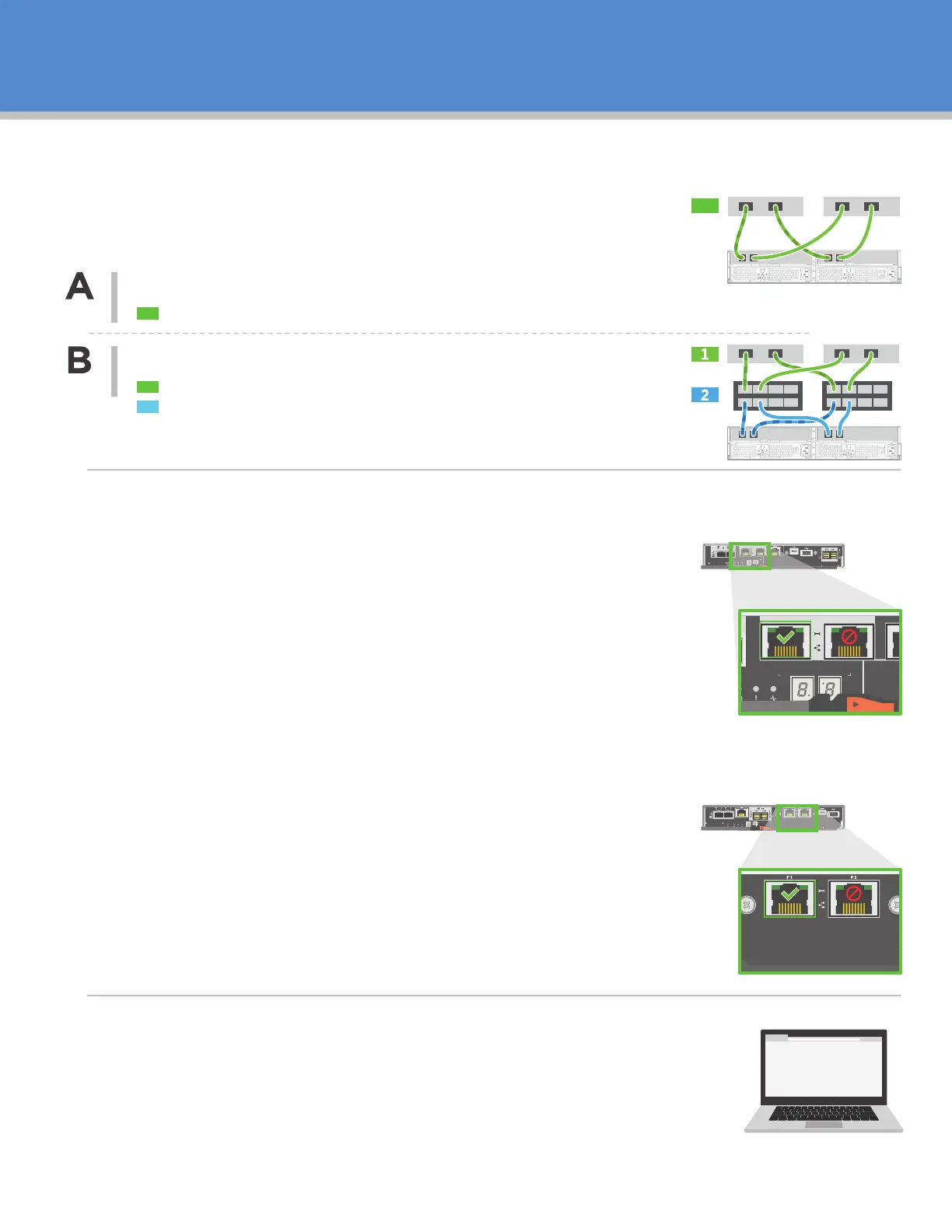
Cable the system according to your network topology.


Connect each host adapter directly to the host ports on the controllers.
IP address
IP address
Subnet mask

your laptop.
2. Manually specify the following IP address and subnet mask on the laptop’s
Ethernet port that you have physically connected to the storage array:
Fabric topology

Connect each host adapter directly to the switch.
Connect each switch directly to the host ports on the controllers.
2


software using the following IP address:





multiple storage arrays.
Show back of shelf
under Controller Shelf






DE6000H controller
0a 0b
P1 P2
EXP1 EXP2
P1 P2
DE2000H or DE4000H controller

Related product manuals