EasyManua.ls Logo

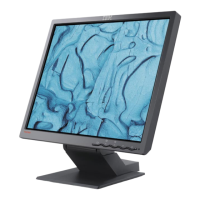
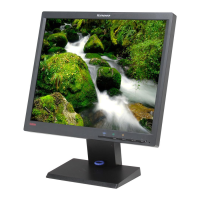
Lenovo ThinkVision C190 - User Manual

Lenovo ThinkVision C190
24 pages
Print Icon
To Next Page IconTo Next Page
Loading...
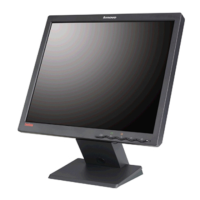
Color Monitor
C190
User’s Guide English

Questions and Answers

  • C
    curtissmithAug 7, 2025
    How to fix a Lenovo ThinkVision C190 when the screen is blank and the power indicator is off?
    • M
      mooremarkAug 7, 2025
      If your Lenovo Monitor screen is blank and the power indicator is off, it indicates a power supply issue. First, ensure that both the electrical outlet and the monitor are switched on, and that the power cord is firmly plugged into both the monitor and the outlet. If the power cord has a removable fuse, try replacing it. You might also want to test with another power cord or try a different electrical outlet to rule out those possibilities.
  • S
    Sean JohnsonAug 11, 2025
    What to do if my Lenovo ThinkVision C190 displays 'CHECK SIGNAL CABLE' message?
    • R
      Rachel BurnsAug 11, 2025
      If your Lenovo Monitor displays a 'CHECK SIGNAL CABLE' message, it means there may be an issue with the video cable connection. Ensure the signal cable is firmly connected to the computer and check the signal cable connector for bent pins.
  • A
    Adam ReedAug 15, 2025
    Why is the image flickering on my Lenovo ThinkVision C190 Monitor?
    • B
      Brian WallsAug 15, 2025
      If the image on your Lenovo Monitor appears to be flickering, it may be operating in an interlaced or low refresh rate display mode. Reconfigure the computer to use a non-interlaced display mode with a refresh rate of at least 75 Hz.
  • C
    Casey ReyesAug 19, 2025
    Why is my Lenovo Monitor screen blank and the power indicator amber?
    • L
      leon05Aug 20, 2025
      If your Lenovo Monitor screen is blank but the power indicator is amber, it could be in Power Management Standby/Suspend or Off state, or there could be no video signal from the computer. Try pressing any key on the keyboard or moving the mouse to restore operation. Also, check that the computer is powered on, the signal cable is firmly connected to the computer, and that there are no bent pins in the signal cable connector.
  • B
    brycewilliamsAug 25, 2025
    What to do if Lenovo Monitor screen is blank but power indicator is steady green?
    • Y
      Yvette Davis MDAug 25, 2025
      If your Lenovo Monitor screen is blank and the power indicator is steady green, the brightness and contrast settings may be too low. Try adjusting the brightness and contrast settings to see if that resolves the issue.
  • L
    Lisa WestAug 28, 2025
    How to fix 'SIGNAL OUT OF RANGE' message on Lenovo ThinkVision C190?
    • C
      Christian GarrisonAug 28, 2025
      If your Lenovo Monitor displays a 'SIGNAL OUT OF RANGE' message, it means that the display mode of your computer is outside the supported range of the monitor. To resolve this, reconfigure your computer to use a supported display mode.
  • J
    jenniferrodriguezSep 2, 2025
    What causes a discolored image on a Lenovo ThinkVision C190 and how to fix it?
    • A
      Andrew RamosSep 2, 2025
      If the image on your Lenovo Monitor appears discolored, it could be due to interference from nearby equipment or magnetization of monitor components. Try the following: * Move any equipment that produces magnetic fields (e.g., sub woofer loud speakers) further away from the monitor. * If another monitor is nearby, separate the two monitors by at least 300mm (12 in.) for optimal performance. * Degauss the monitor using the OSD manual demagnetize function. Note that this function can only be used once in a 30-minute period.

Lenovo ThinkVision C190 Specifications

General IconGeneral
Screen Size18.5 inches
Resolution1366 x 768
Panel TypeTN
Aspect Ratio16:9
Brightness200 cd/m²
Contrast Ratio600:1
Response Time5 ms
ConnectivityVGA
Viewing Angle90°/65°
Color Support16.7 Million
Input ConnectorsVGA

Related product manuals