EasyManua.ls Logo

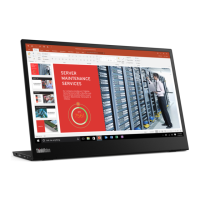
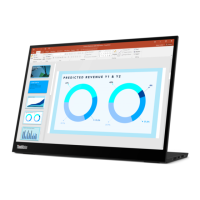
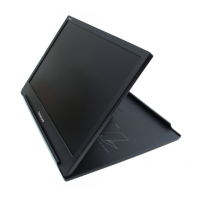
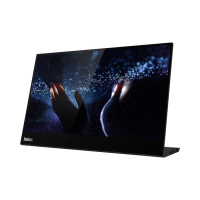
Lenovo ThinkVision M14t - User Manual

Lenovo ThinkVision M14t
48 pages
Print Icon
To Next Page IconTo Next Page
Loading...
M14t Flat Panel Monitor
User’s Guide
Machine Type: 62A3

Questions and Answers

Lenovo ThinkVision M14t Specifications

General IconGeneral
Color depth8 bit
Pixel pitch0.1611 x 0.1611 mm
Screen shapeFlat
Pixel density157 ppi
Response time8 ms
Backlight typeW-LED
Display diagonal14 \
Display technologyLED
Native aspect ratio16:9
Maximum refresh rate60 Hz
Response time (fast)6 ms
NTSC coverage (typical)72 %
Viewable size, vertical173.09 mm
Contrast ratio (dynamic)3000000:1
Contrast ratio (typical)700:1
Display number of colors16.78 million colors
Viewable size, horizontal309.31 mm
Digital vertical frequency50 - 75 Hz
Digital horizontal frequency30 - 90 kHz
Display brightness (typical)300 cd/m²
Supported graphics resolutions1920 x 1080 (HD 1080)
Energy efficiency scaleA to G
Power consumption (max)9.5 W
Power consumption (off)0.3 W
Power consumption (standby)- W
Power consumption (typical)8 W
Color nameRaven Black
CertificationTÜV Rheinland Low Blue Light, , CCC, Tier 2
Product colorBlack
Market positioning-
Audio inputNo
USB upstream port typeUSB Type-C
USB Power Delivery up to65 W
VGA (D-Sub) ports quantity0
Number of USB Type-C upstream ports quantity2
Pivot angle-90 - 90 °
Tilt angle range-5 - 90 °
Cable lock slot typeKensington
Number of OSD languages8
Panel mounting interface100 x 100 mm
Cables includedUSB Type-C to USB Type-C
Storage temperature (T-T)-20 - 60 °C
Operating temperature (T-T)0 - 40 °C
Storage relative humidity (H-H)5 - 95 %
Operating relative humidity (H-H)10 - 80 %
Package depth377 mm
Package width267 mm
Package height68 mm
Package weight1870 g
Sustainability certificatesRoHS, EPEAT Silver, ENERGY STAR
Harmonized System (HS) code85285210
Weight and Dimensions IconWeight and Dimensions
Bezel width (top)5.42 mm
Bezel width (side)5.43 mm
Depth (with stand)14 mm
Width (with stand)323.4 mm
Height (with stand)226.5 mm
Weight (with stand)698 g
Bezel width (bottom)30.38 mm
Width (without stand)- mm
Weight (without stand)- g

Summary

Safety Information

General Safety guidelines

General guidelines for safe usage.

Safety and Maintenance Guidelines

Important Safety Information

Key safety information for product use.

Chapter 1. Getting started

Setting up your monitor

Instructions for setting up the monitor.

Chapter 2. Adjusting and using your monitor

Touch Screen

Details on using the touch screen functionality.

Adjusting your monitor image

How to adjust monitor image settings using OSD controls.

Chapter 3. Reference information

Monitor specifications

Detailed technical specifications of the monitor.

Troubleshooting

Solutions for common problems and issues.

Manually installing the monitor driver

Step-by-step guide for manual driver installation.

Related product manuals