Chapter 1. 1-1
Chapter 1.Getting started
This User’s Guide contains detailed information on your Flat Panel Monitor. For a quick
overview, please see the Setup Poster that was shipped with your monitor.
Shipping contents
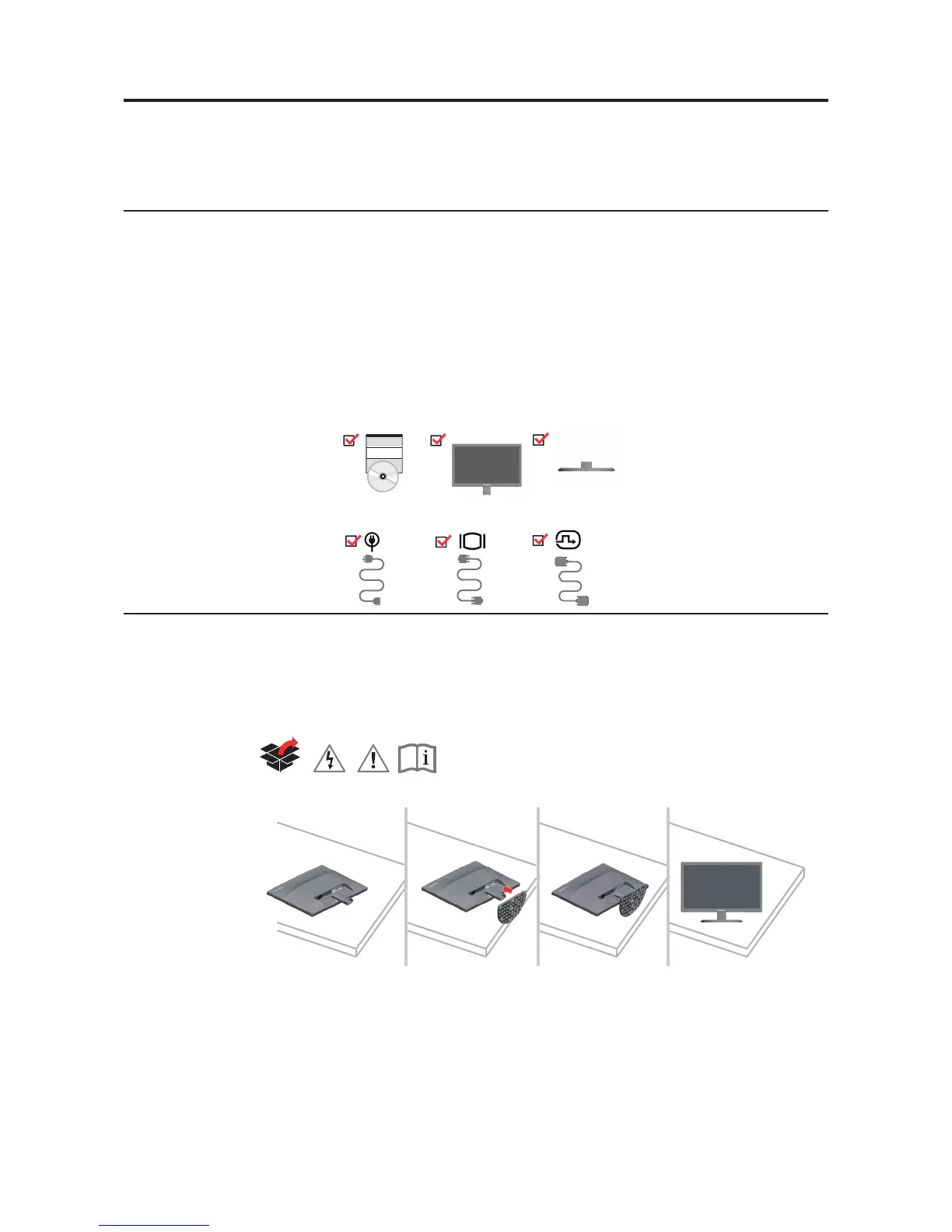
The product package should include the following items:
• SetupPoster
• ReferenceandDriverCD
• FlatPanelMonitor
• PowerCable
• DVICable
• AnalogInterfaceCable
Notice for use
To set up your monitor, please see the illustrations below.
Note: Do not touch the monitor within the screen area. The screen area is glass and can be
damaged by rough handling or excessive pressure.
1. Carefully lay the monitor on a at surface.
2. Put the base to the monitor.
Note: To attach a VESA mount, please see "Wall Mounting (Optional)"on page 2-8.



 To Next Page