Product overview
This section will provide information on adjusting monitor positions, setting user controls,
and using the cable lock slot.
Types of adjustments
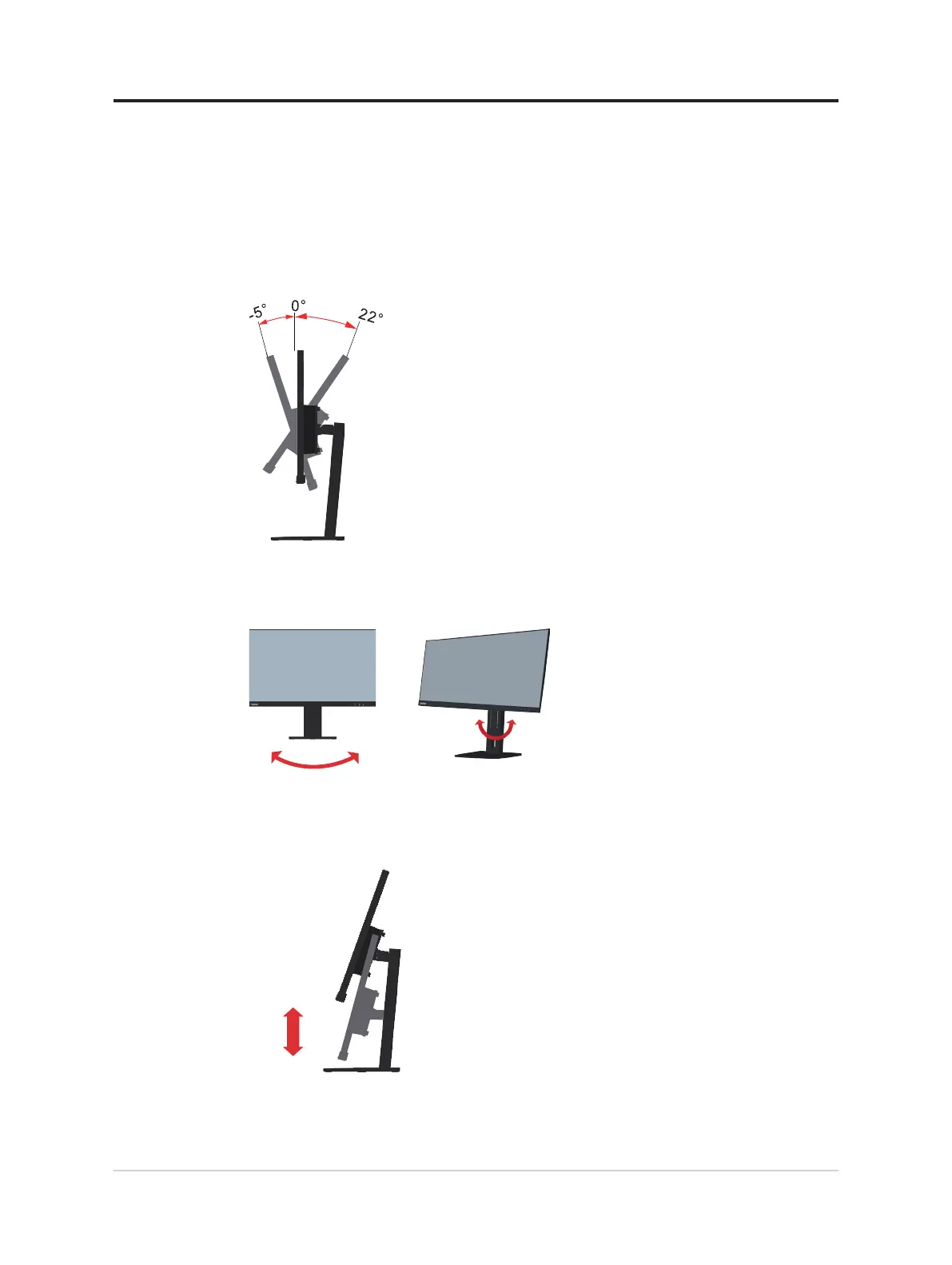
Tilt
Please see the illustration below for an example of the tilt range.
Swivel
With the built-in pedestal, you can tilt and rotate the monitor to get the best viewing angle.
360°
Height Adjustment
For height adjustment, user needs to press down or lift up the monitor at 22 degree.
155mm
1-3 E27q-20 Flat Panel Monitor User’s Guide




 To Next Page