Upgrading the Hard Disk Drive
48
Lenovo 3000 G400 and G410 User Guide
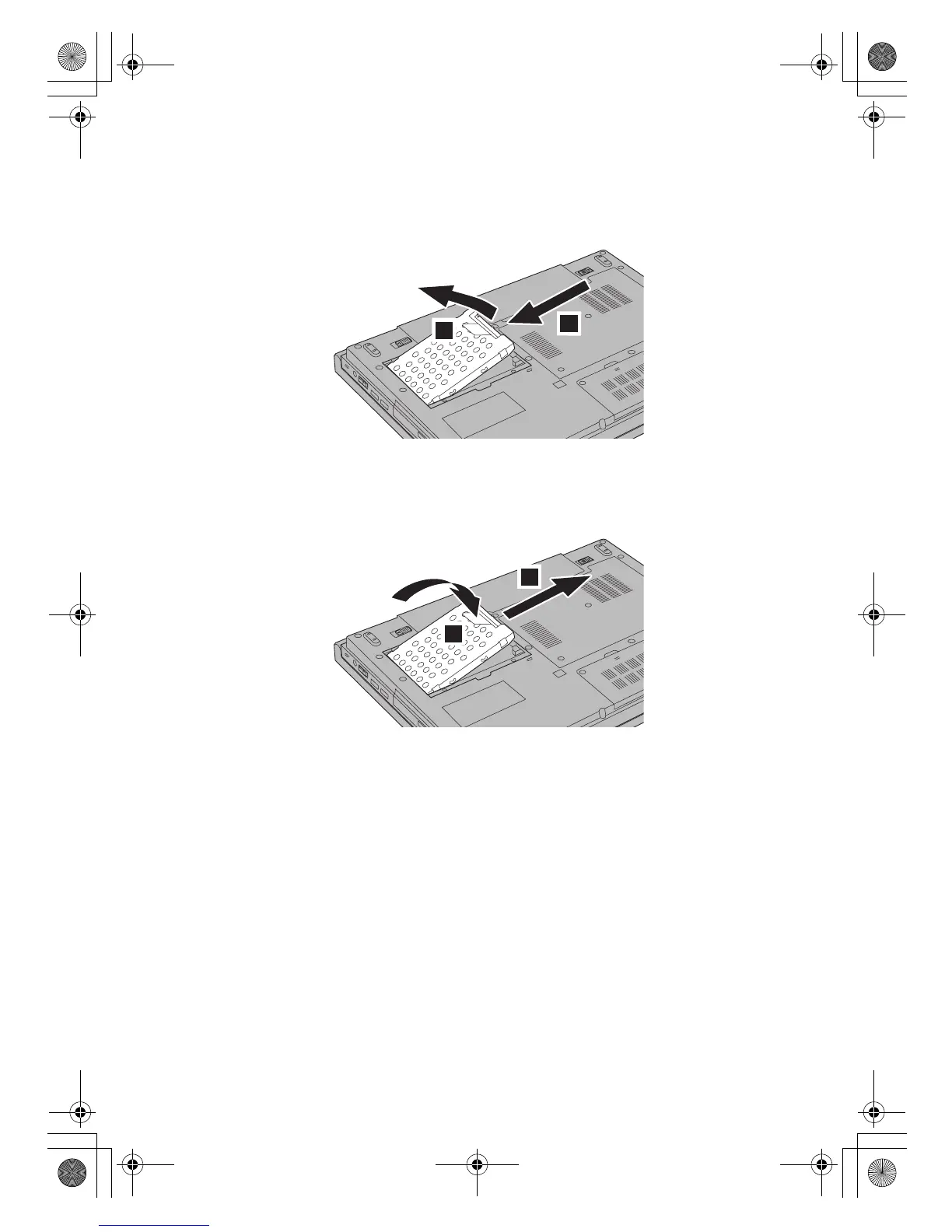
5. Disconnect the hard disk drive a and remove it by pulling out the tab
b.
6. Insert a new hard disk drive into the hard disk drive bay a, then firmly
install it b.
1
2
1
2
Lenovo EVEREST UG.book Page 48 Friday, August 17, 2007 5:40 PM







 To Next Page