Upgrading the Hard Disk Drive
49
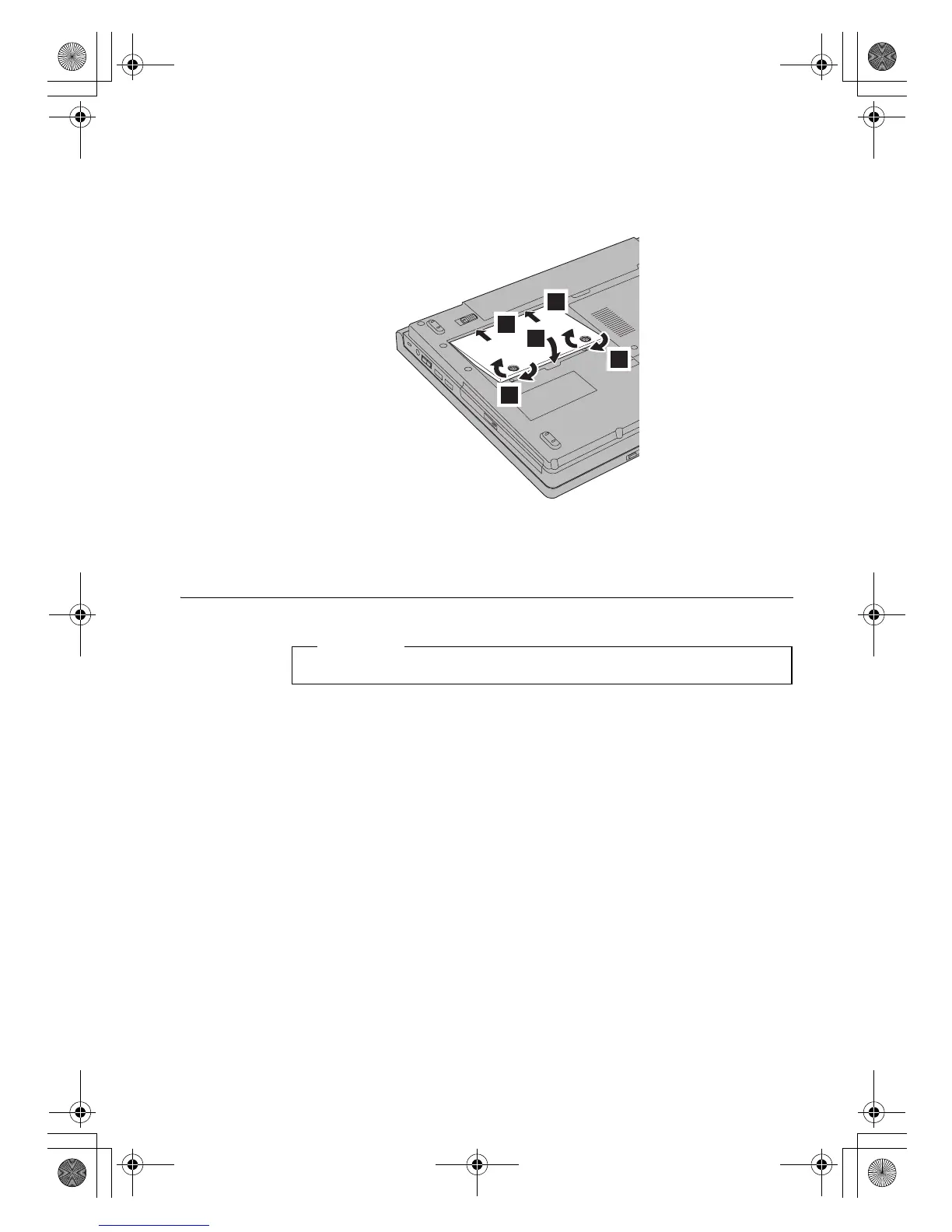
7. Reinstall the cover by inserting the tabs into the slots a, and closing the
cover b. Then tighten the two screws c.
8. Reinstall the battery.
9. Turn the computer over again. Connect the ac adapter and cables to the
computer.
Replacing Memory
Increasing memory capacity is an effective way to make programs run
faster. You can increase the amount of memory in your computer by
installing a PC2-5300 (DDR II 667) SO-DIMM, available as an option, in the
memory slot of your computer. SO-DIMMs with different capacities are
available.
Note: Use only the memory types supported by your computer. If you
incorrectly install the optional memory or install an unsupported
memory type, a warning beep sounds when you try to start the
computer.
To install an SO-DIMM, do the following:
1. Touch a metal table or a grounded metal object. This action reduces any
static electricity in your body, that could damage the SO-DIMM. Do not
touch the contact edge of the SO-DIMM.
1
1
2
3
3
Read Safety and Warranty Guide before replacing memory.
Important
Lenovo EVEREST UG.book Page 49 Friday, August 17, 2007 5:40 PM







 To Next Page