4
Chapter 1. Getting to know your computer
Hotkeys
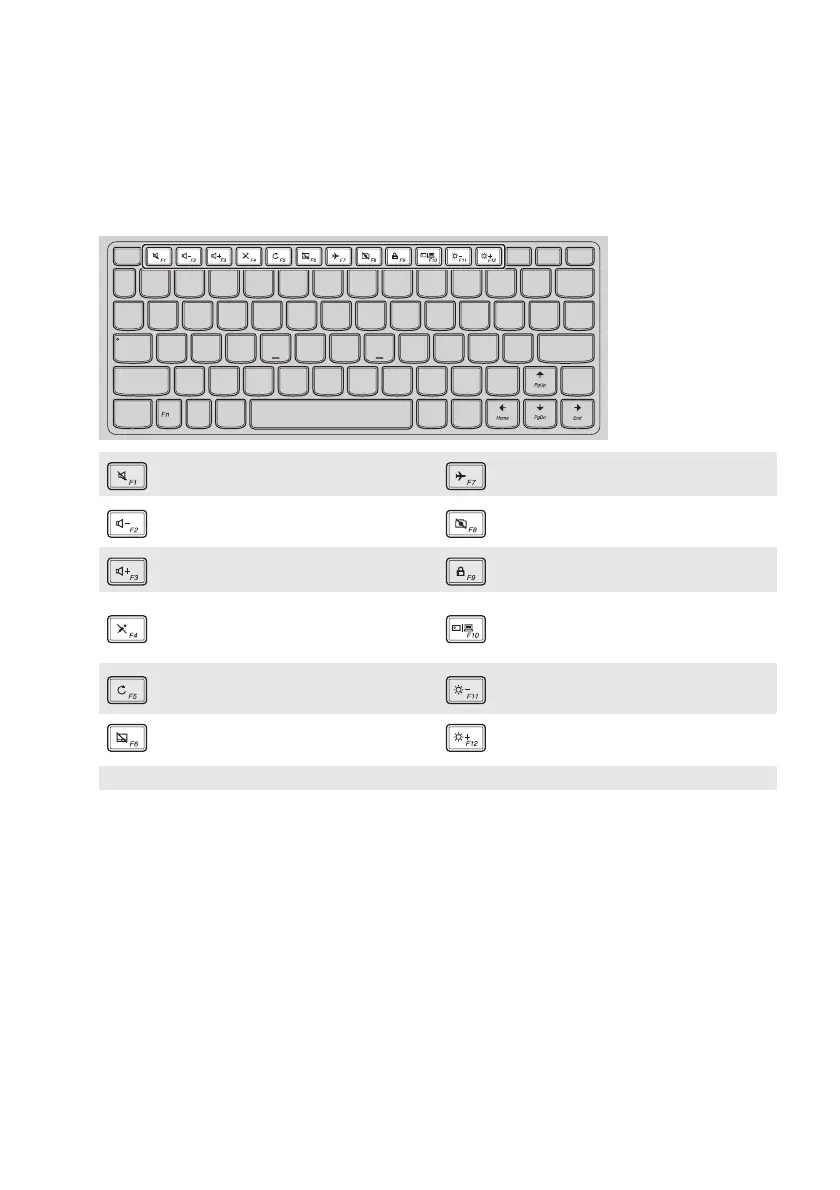
You can access certain system settings quickly by pressing the appropriate hotkeys.
: Mutes/unmutes the sound. : Enables/disables Airplane mode.
: Decreases the volume level. :
Enables/disables the integrated
came
ra.
: Increases the volume level. : Locks the screen.
: Enables/disables the
microphone.
:
Toggles the display between the
compu
ter and an external
display device.
:
Refreshes the desktop or the
currently active window.
: Decreases the display brightness.
: Enables/disables the touchpad. : Increases the display brightness.
Note: You can use the Lenovo Setting to enable/disable the hotkey function.




 To Next Page