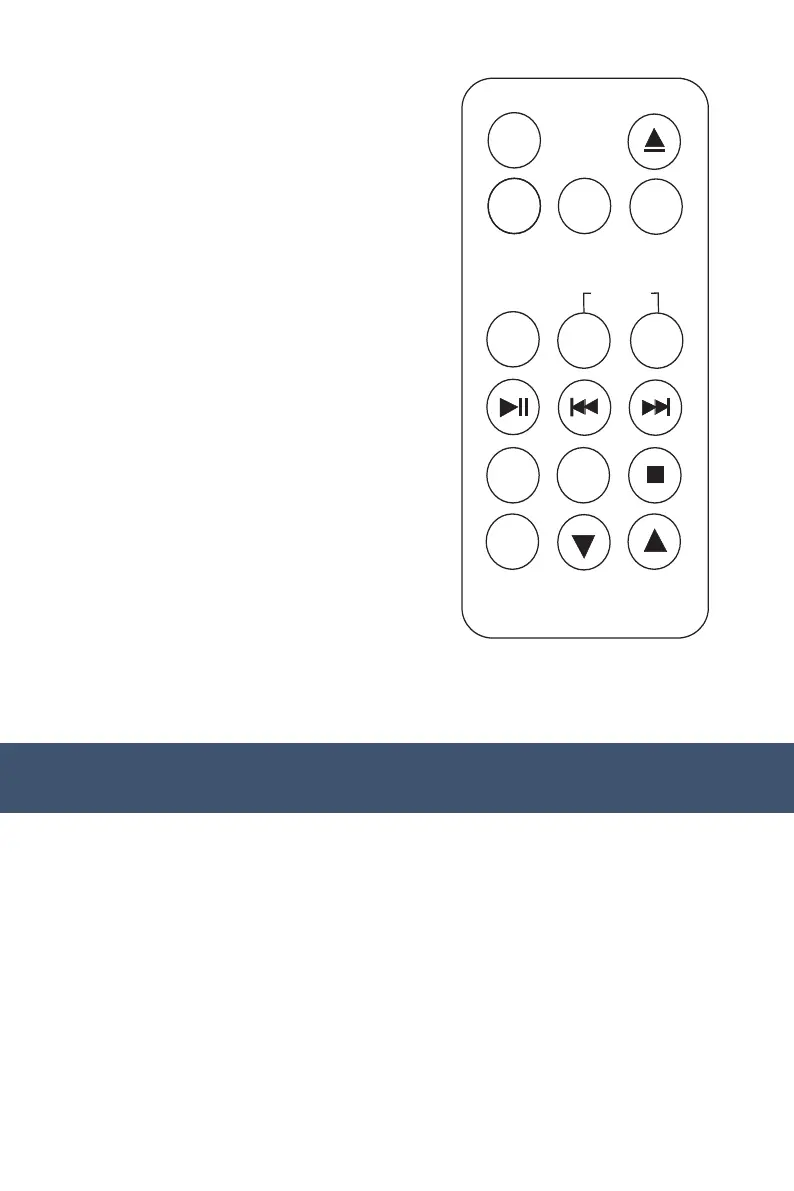
REMOTE CONTROL
Listening to radio
1) Power Button (Device On/Off)
2) Record Button
3) Equaliser
4) Play/Pause Button
5) Repeat Button
6) Program Button
7) Delete Button
8) CD Open/Close
9) Function Mode Button
10) Rewind Button
11) Forward Button
12) Stop Button
13) Mute Button
NOTE: The remote control works with CD/USB/SD modes.
EQ
POWER
-
+
REC
DEL
REP
MUTE
PROG
-
-
-
-
TUNING
FOLDER
MODE
VOLUME
OPERATING INSTRUCTIONS
1. Press the volume knob to turn the equipment on.
2. Use the function selector to select AM or FM mode.
3. Turn the tuning knob to tune into a radio station.
4. Adjust the volume knob to your desired volume level.
5. AM reception: the receiver has a built-in AM bar antenna. If reception is
weak, slightly rotate or reposition the unit to improve AM reception.
6. FM reception: the receiver has a built-in FM wire antenna at the back.
For best reception, completely unravel and extend this wire.



 To Next Page