6
Operation
Transmit parameter sets
EDK82ZBC DE/EN/FR 3.1
56
Parameter ändern u speichern----(DUMMYSEITEVOR)---
Transmit parameter sets
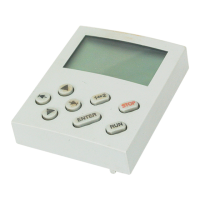
You can use the keypad to easily copy parameter settings from one standard device to another.
Copying parameter sets from the standard device to the keypad
Step
Key
sequence
Result Action
1. Connect keypad to standard device 1
xx.xx Hz
The function is active. The first code is shown in
the user menu (C0517/1, Lenze setting: C0050 =
Output frequency).
2. Disable controller
The drive coasts to a stop.
3.
Select C0002 in the user menu
4.
0002 C0002 is selected
5.
6.
Select correct copying function The settings stored in the keypad are overwritten.
z Copying all available parameter sets (PAR1 ... PAR4 and, if necessary, FPAR1) to the keypad:
– Standard device with function
module Application I/O, AS
interface, INTERBUS, PROFIBUS,
LECOM-B, DeviceNet, or CANopen
80 PAR1 ... PAR4 and FPAR1 are copied:
Ö ”80” is set
– Standard device with other
function modules
20 PAR1 ... PAR4 are copied:
Ö ”20” is set
z Copying only module-specific parameter set FPAR1 to the keypad:
– Only possible for standard
devices with the function module
INTERBUS, PROFIBUS, LECOM-B,
DeviceNet, or CANopen
50 FPAR1 is copied:
Ö ”50” is set


 To Next Page

