3. Pair
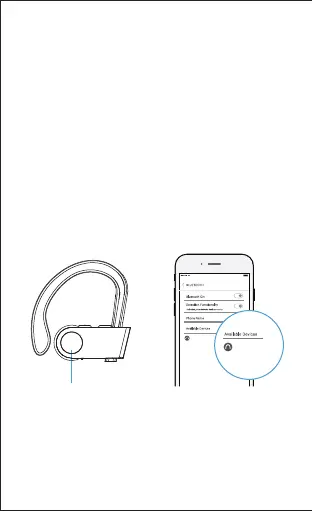
1) Turn on the Bluetooth of your phone or other
Bluetooth devices.
2) Turn on the headphones when they are in
shutdown state and the headphones enter
pairing mode (indictor rapidly flashes red and
blue alternately).
3) In the list of found Bluetooth devices in your
phone or other Bluetooth devices, choose "U8I"
to pair.
4) Enter "0000" or "1234" if your phone or
Bluetooth device asks you to enter a code to
pair.
Long press
-5-


 To Next Page