-10 -
Getting to Know Your Watch
Basic Operations
Watch Interfaces
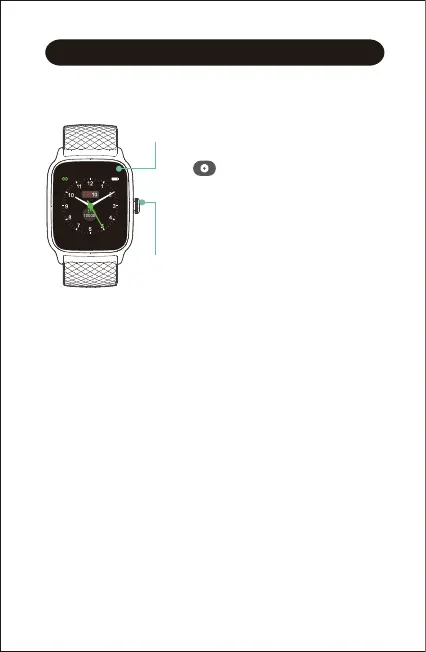
This is a touch screen; swipe the screen to go to different
interfaces, and tap to enter the function.
The home screen is a clock. On the clock:
● Swipe up to see the quick settings bar (do not disturb, wrist
sense, night mode, settings).
● Swipe down to see notifications.
● Swipe left to switch function interfaces, including training,
today, heart rate, blood oxygen, breath, timer, stopwatch,
alarm, music control, and settings.
● Swipe right to view today’s daily activity data (You can
customize this interface in the Letsfit app. Go to the "Device"
page → "Control Center").
●
Turn on the watch:
Press and hold the function button for
2 seconds.
● Wake a dimmed screen:
Press the function button or turn your
wrist towards you.
● Return to the previous interface:
Press the function button.
● Turn off the watch:
Swipe up the screen of the watch, then
tap , and then select "Power off".



 To Next Page