- 13 -
1. Tracking Sports
The watch tracks your exercise data in up to 14 sports modes.
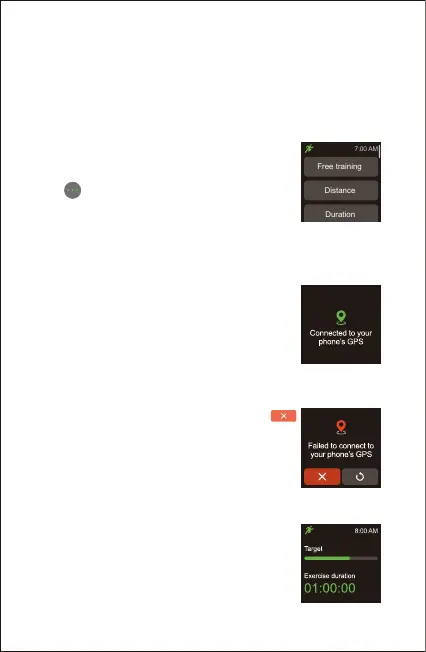
Start a sport
Tap "Training" → Swipe the screen to select a sports mode
you want to start.
Before beginning an exercise, you can
tap to set training goals such as
distance, duration, calories burned, etc.
During sports
Swipe the screen up or down to flip through
exercise data. Swipe the screen to the left
so you can control the music playing on
your phone.
GPS connecting (Only for outdoor cycling / outdoor running /
outdoor walking / hiking modes)
When you start an outdoor sport, the watch
begins searching GPS signal. Please let the
Letsfit app run in the background and allow the
location services on your phone, then move to
an open area and stand still to better receive
the signal. After the GPS is connected, the
countdown interface will be displayed, and
then you can start training.
Set goals
When the GPS signal is weak, you can tap
to start outdoor cycling, outdoor running,
outdoor walking and hiking in non-GPS mode.
Your movement track will not be displayed in
your training record after the exercise is ended.



 To Next Page