- 12 -
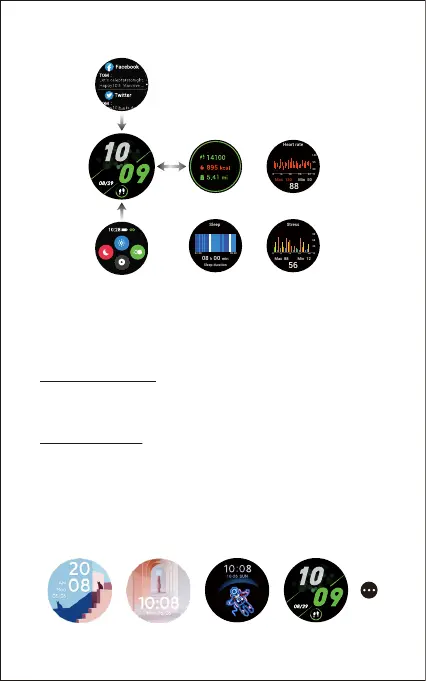
After the watch is paired with your phone, the home screen will
display the time and date.
You can customize the home screen by following the steps below:
Method 1 (on the watch):
1) Tap and hold the home screen.
2) Swipe left/right to choose one and tap to confirm.
Method 2 (in the app):
1) Open the Letsfit app, go to the "Settings" page → "EW4" → tap
"Watch Faces".
2) Select a watch face or choose a photo in your phone album to
display on the home screen.
3) Tap "Confirm" to finish setting.
Notifications
Status Bar
Daily Activity Data
Heart Rate
Sleep
Stress Monitoring
Mon
fig. 1
Mon



 To Next Page