- 17 -
4. Tracking Sleep
The watch automatically tracks your sleep duration and
consistency with a comprehensive analysis of sleep quality data.
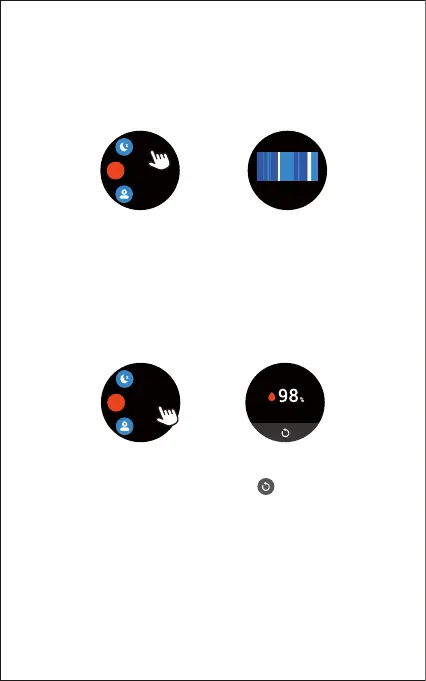
Tap "Sleep" in the function list so you can check your sleep
records and improve your routine.
5. Measuring Blood Oxygen Level
Before measuring, wear the watch a finger-width below the
wrist bone and a bit tighter than usual.
1) Tap "Blood Oxygen" to enter the blood oxygen level
detection mode.
2) When measuring, keep your arm flush with your chest and
the watch screen facing up. Keep your arm still to ensure
the accuracy of the data.
Blood Oxygen
Stress
Sleep
O
2
Sleep
Sleep duration
08
h
30
min
22:30 06:30
6. Monitoring Stress Level
Based on your heart rate variability, your stress score helps you
see if your body is showing signs of stress on a daily basis. The
score ranges from 1 to 100, where a higher number means your
body is showing more signs of physical stress. To see your daily
stress score, wear your watch to sleep.
1) Tap "Stress" in the function list to enter the stress measuring
mode.
Blood Oxygen
Stress
Sleep
O
2
Note:
The measurement data may be incorrect due to movement or
finger tapping. Please keep still and tap to measure again.



 To Next Page