- 14 -
1. Tracking Sports
The watch tracks your exercise data in up to 14 sports modes.
Start a sport
Press the down button to go to the Training interface →
Swipe the screen to select a sports mode you want to start.
Set a target
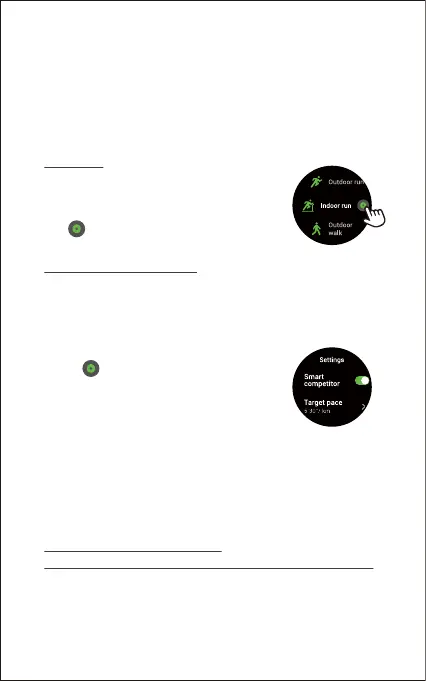
Before beginning an exercise, you can set
training goals such as distance, duration,
calories burned, etc.
Tap beside the sport mode and set
your target.
Add a virtual running competitor
In the Outdoor run mode, you can set a virtual running competitor
and the competitor’s running pace, and check the gap between
yourself and the competitor in real time to improve your running
performance more effectively.
Use your phone’s GPS to track sports
(Only for Outdoor Run / Outdoor Walk / Outdoor Cycle / Hiking modes)
You can use the GPS of your phone to track your pace & distance
during these sports while mapping out your exercise on your phone
(take your phone with you to use the GPS function during exercise).
1) Tap "Training" in the function list.
2) Tap beside "Outdoor run".
3) Tap "Smart competitor" and enable the
function.
4) Tap "Target pace" → "Customise" to set the
competitor’s pace.
5) Tap "√" to confirm.
6) Return to the training interface and tap "Outdoor Run" to
start your running with the competitor. You can view the
running pace of the competitor and you on the watch during
the exercise.



 To Next Page