-11 -
Getting to Know Your Watch
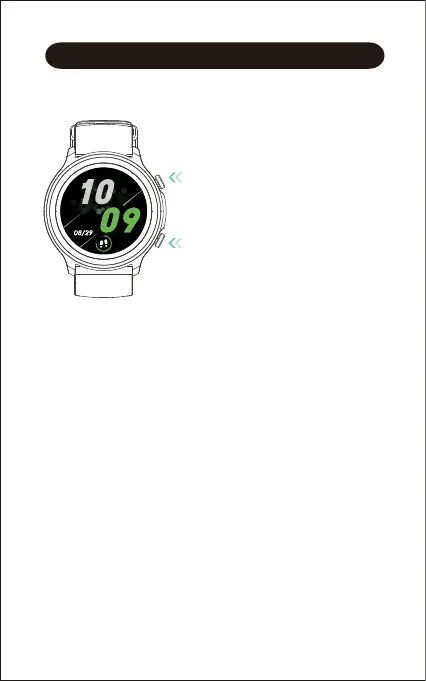
Button Controls
Watch Interfaces
This is a touch screen; swipe the screen to go to different
interfaces, tap to enter the function, and swipe the screen to the
right to return to the previous interface.
The home screen is the clock. On the clock:
● Swipe down to see notifications.
● Swipe up to go to the status bar (brightness control, do not
disturb, settings, wrist sense).
● Swipe left/right to switch among function shortcuts (daily activity
data, heart rate, stress monitoring, sleep)
Up button
● Press to wake the screen, go to the
function list, return to the home
screen, or pause/resume the sport.
● Hold to end the sport mode or power
on/off the watch.
Down button
● Press to go to the Training interface,
enter the sport tracking mode, or flip
through exercise data during sports.
Mon



 To Next Page