10
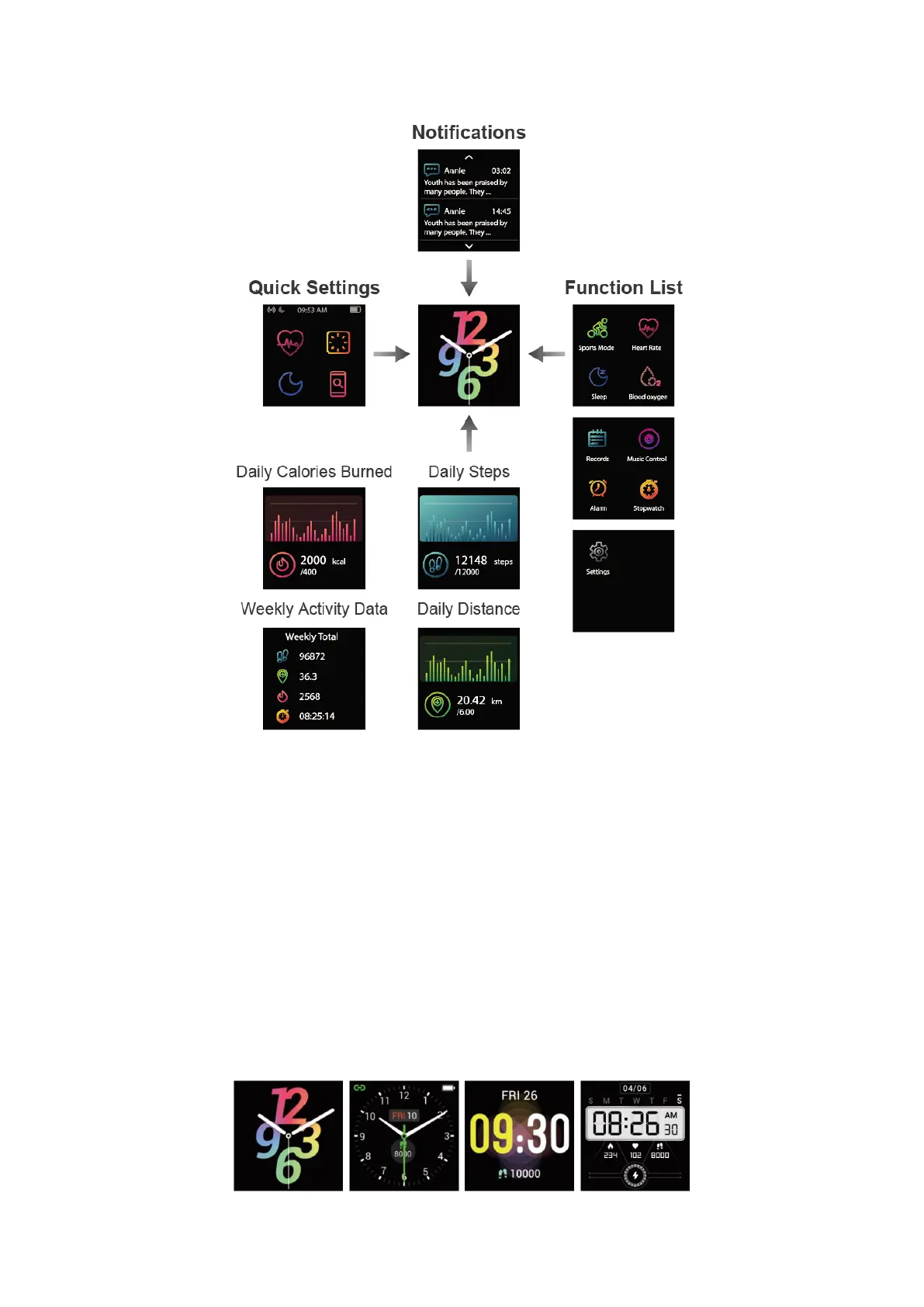
(fig. 1)
After the watch is paired with your phone, the home screen will display the time and date.
You can customize the home screen by following the steps below:
Method 1 (on the watch):
1. Hold the home screen.
2. Swipe the screen to choose a watch face and tap to confirm.
Method 2 (in the app):
Open the Fitdock app, go to the "Device" page → "Watch Faces". You can select a
watch face from "My Dials" or download a watch face from "Gallery".



 To Next Page