13
2. Monitoring Heart Rate
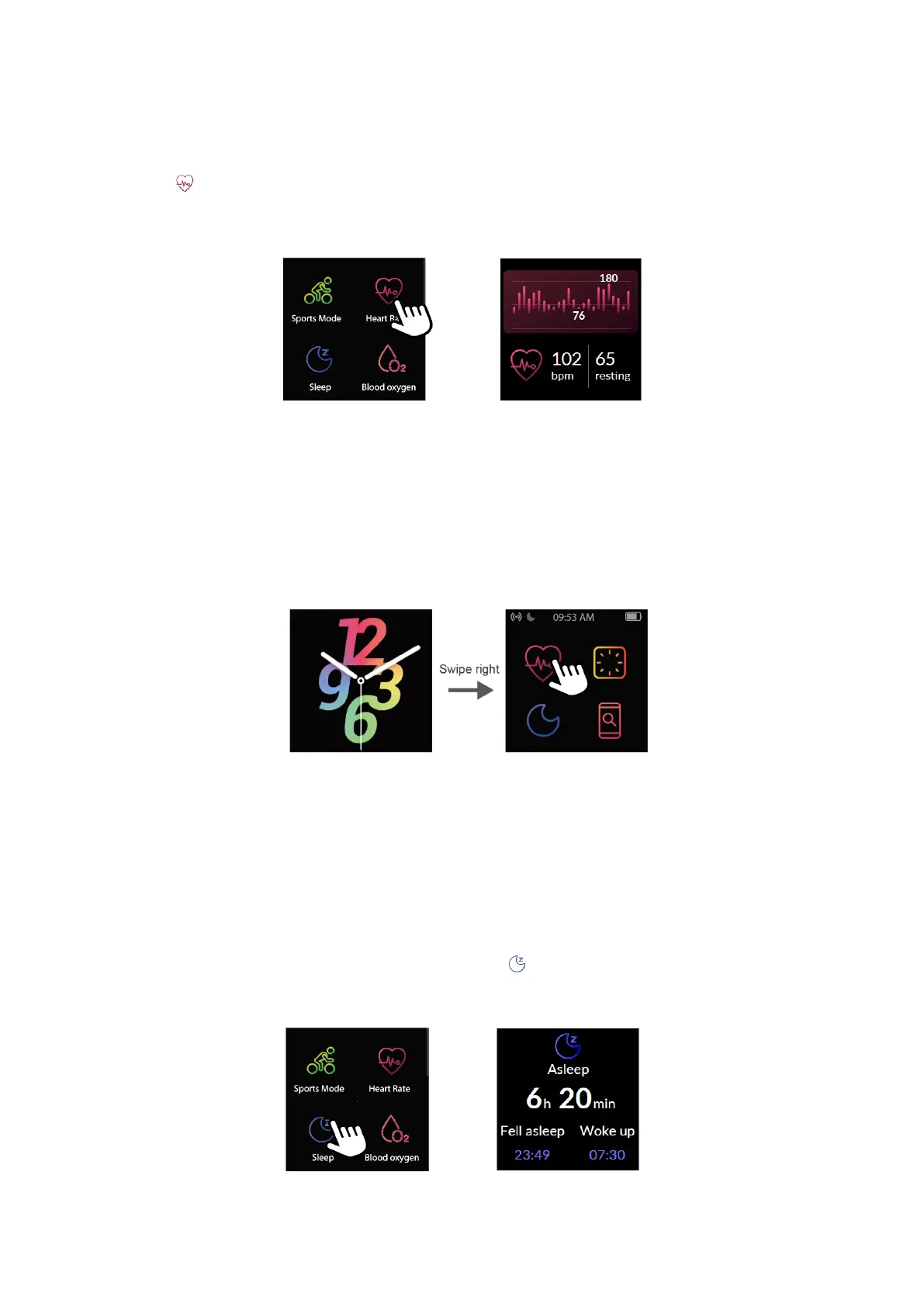
Tap to measure your heart rate. After entering the heart rate interface, the watch
tracks your real-time heart rate automatically and continuously. You can view your
detailed heart rate data on the watch screen or in the app.
Notes:
To monitor your heart rate more accurately, wear the watch two fingers wide below
your wrist bone and wear it tighter than usual. In addition, complete your profile in
the app.
If the auto heart rate monitor is disabled on the watch, the watch will not track your
heart rate continuously.
Heart Rate Notifications: The watch will remind you when you exceed your maximum
heart rate while you appear to have been inactive. You can enable or disable heart rate
notifications in the app ("Device" page → "Heart Rate Notifications").
3. Tracking Sleep
The watch automatically tracks your sleep duration and consistency with a
comprehensive analysis of sleep quality data. Tap in the function list to check your
sleep records and improve your routine.



 To Next Page