6
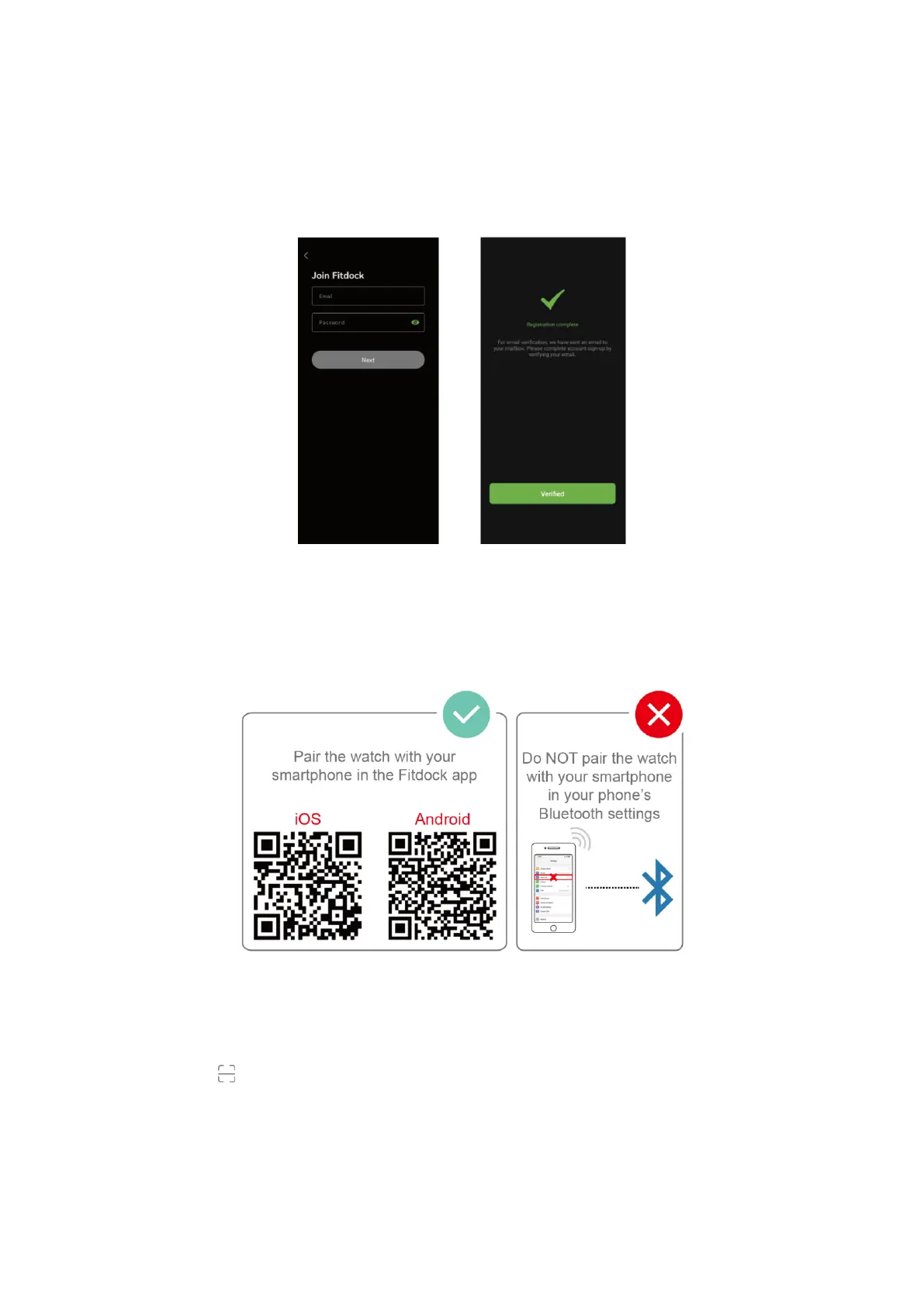
Account Registration and Login
Please register an account with a valid email address. After registration, check your email
box to complete email verification, and then tap "Verified" to log in.
Pairing the Watch with Your Phone
Please pair the watch with your phone in the Fitdock app, NOT in the Bluetooth
settings of your phone.
1. Enable the Bluetooth of your smartphone.
2. Open the Fitdock app on your smartphone and go to the "Device" page, tap "Pair
device".
3. Tap " ", and your smartphone starts scanning.
4. Use the Fitdock app to scan the QR code displayed on your watch to connect the
watch to your smartphone.



 To Next Page