
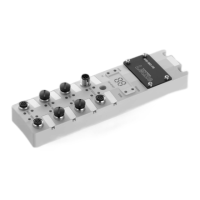
What to do if Leuze electronic MSI-MD-FBX shows error E06?
- AAngel NealAug 29, 2025
Error E06 on the Leuze electronic Controller indicates a short circuit against GND at OSSD1. You should check the wiring and replace the cable if applicable.

What to do if Leuze electronic MSI-MD-FBX shows error E06?
Error E06 on the Leuze electronic Controller indicates a short circuit against GND at OSSD1. You should check the wiring and replace the cable if applicable.
What to do if Leuze electronic Controller displays error U31?
Error U31 on the Leuze electronic Controller indicates a sequence error between muting sensor 2 and muting sensor 3. Check the arrangement and alignment of the muting sensors.
How do I fix error E04 on my Leuze electronic Controller?
Error E04 on the Leuze electronic Controller indicates a high-impedance short circuit to VCC OSSD1. To resolve this, check the wiring and replace the cable if needed.
How to troubleshoot error U58 on Leuze electronic Controller?
Error U58 on the Leuze electronic Controller indicates that the muting timeout has elapsed. Actuate the acknowledgment unit.
What does error U33 mean on Leuze electronic MSI-MD-FBX Controller?
Error U33 on the Leuze electronic Controller indicates a sequence error if all muting sensors are activated and muting sensor 1 should be free. Check the arrangement and alignment of the muting sensors.
How do I fix error U45 on my Leuze electronic MSI-MD-FBX?
Error U45 on the Leuze electronic Controller indicates a sequence error if muting sensors 1 to 3 are activated and muting sensor 3 should be free. Check the arrangement and alignment of the muting sensors.
What does error U55 on Leuze electronic MSI-MD-FBX Controller mean?
Error U55 on the Leuze electronic Controller indicates that the time limit for override has been exceeded. Check the further processing of the OSSD signals and the design of the muting system.
What causes error U84 on Leuze electronic MSI-MD-FBX?
Error U84 on the Leuze electronic Controller indicates a muting sensor 1 signal via the machine interface even though configured via a muting sensor. Check the setting for muting sensor 1.
What causes error E16 on Leuze electronic MSI-MD-FBX Controller?
If your Leuze electronic Controller is showing error E16, it means there's an overvoltage (greater than +40 V). The solution is to supply the device with the correct voltage.
How to fix error E15 on Leuze electronic Controller?
Error E15 on the Leuze electronic Controller means there is an overvoltage (greater than +31 V). You should supply the device with the correct voltage.
| Brand | Leuze electronic |
|---|---|
| Model | MSI-MD-FBX |
| Category | Controller |
| Language | English |
Checklists serve as a reference for testing requirements, but do not replace machine testing.
Instructions on how to download diagnostic software from the Leuze website.
Explains warning symbols, signal words, and other symbols used in the manual.
Defines the proper application and outlines improper uses of the safety relay.
Outlines the required qualifications and expertise for handling the safety relay.
Clarifies the safety responsibilities of manufacturers and operators.
Details the physical components and layout of the muting controller with labeled diagrams.
Explains the function of various LEDs and the 7-segment display on the controller.
Describes the types of connectors and sockets used for wiring.
Explains the operation of timing controlled 2-sensor muting.
Details the timing controlled muting function with an external enable signal.
Describes how to override muting and restart the system after interruptions.
Explains the procedure for resetting the muting controller after an error.
Explains how the system restarts after a protective field violation.
Describes the RES LED indication and the acknowledgment/reset process.
Illustrates an application of access guarding using timing controlled muting.
Provides instructions on how to mount the muting controller.
Details the process of mounting the controller within a UDC device column.
Describes mounting the controller on the side or rear of a UDC device column.
Explains how to mount the controller directly onto the machine system using M4 screws.
Provides guidelines for positioning muting sensors for correct operation.
General guidelines for selecting and mounting muting sensors.
Information on choosing and connecting suitable optoelectronic muting sensors.
Specifies the required minimum distance between sensors and the protective field.
Details typical arrangements for muting sensors in 2-sensor muting applications.
Describes an alternative arrangement using diffuse sensors.
Explains the required height for muting sensor light beams.
Lists the connections available on the muting controller for various components.
Details the pin configuration for the machine interface connection.
Describes the pinout for connecting the safety sensor.
Details the pin configuration for the acknowledgment unit.
Explains the pinout for connecting an external muting indicator.
Specifies the pinout for the muting sensor connections.
Provides a circuit diagram example for timing controlled 2-sensor muting.
Circuit diagram for timing controlled 2-sensor muting setup.
Introduces the DIP switch blocks used for configuring the muting controller.
Explains how to set the operating mode using DIP switch blocks.
Outlines testing procedures before initial commissioning and after changes.
Details the periodic testing requirements by qualified personnel.
Describes daily or shift-based checks by the operator.
Provides a checklist for operators to perform periodic testing.
Instructions for cleaning the muting controller.
Information regarding maintenance and repairs.
Guidance on the proper disposal of the electronic component.
General steps to take when the muting controller experiences a fault.
Explains error codes displayed on the 7-segment display and their remedies.
Lists general technical specifications and safety-relevant data.
Shows dimensional drawings of the muting controller.
Provides dimensional drawings for mounting plates.
Lists part numbers and designations for the muting controller.
Details connection cables for the muting controller.
Details interconnection cables for safety sensors.
Lists display and confirmation units.
Lists mounting plates and brackets for the muting controller.
Information on LED muting indicators.